01
The Avid Reader
20+ books a year. Tracks their reading and uses Goodreads as a personal companion.
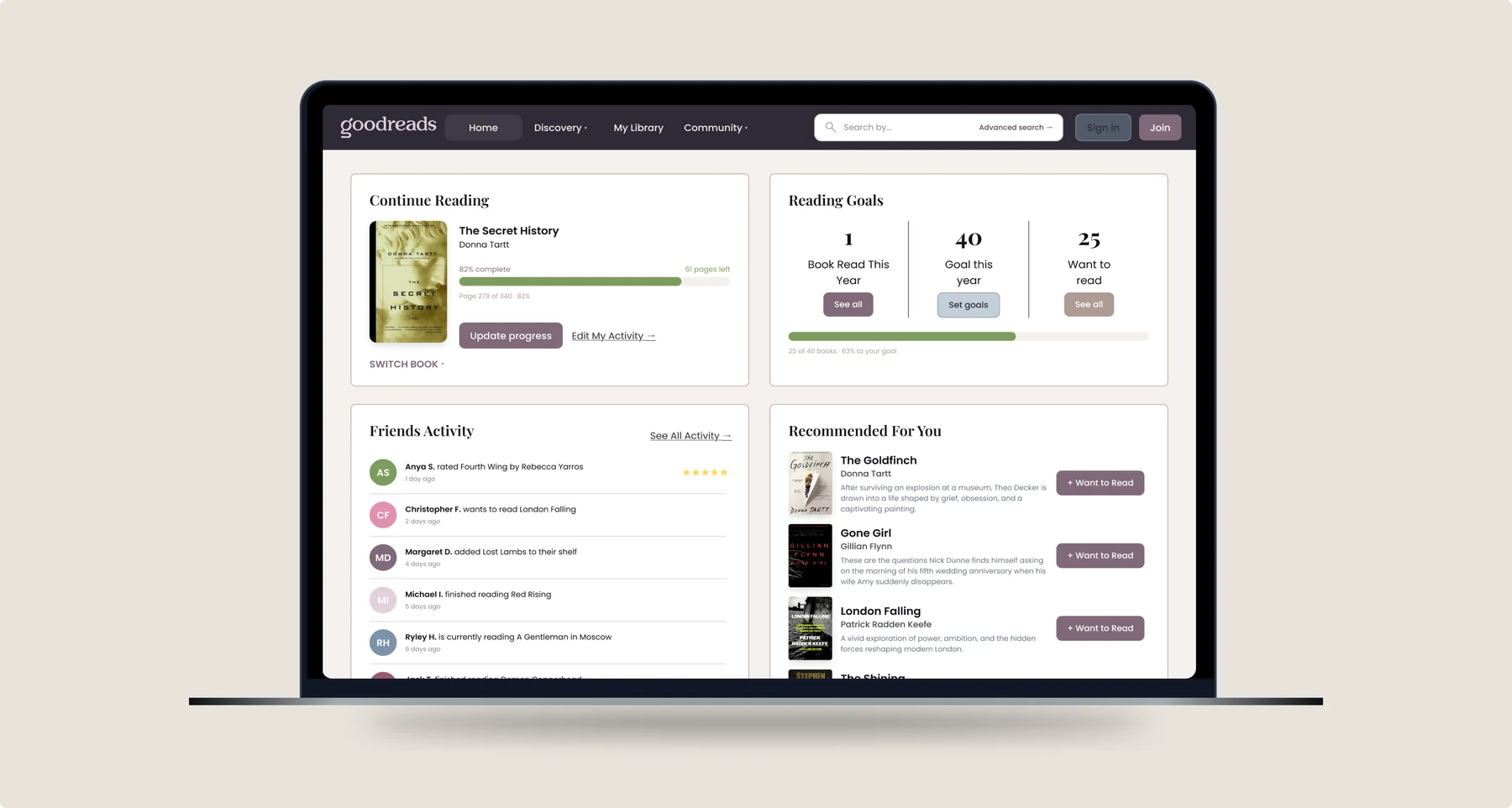
The moment someone suggested we redesign Goodreads, the reaction was instantly one of recognition: we all use it, we all had opinions on it, and we all saw the same problems. As three avid readers, we set out to understand users' pain points through interviews, card sorting, tree testing, and paper prototyping. My focus was the Homepage and Advanced Search, two areas I felt had the most room to improve.
Goodreads is a book tracking platform with over 150 million users, yet its interface doesn’t reflect a user base of that size (Norberg, 2025). It feels like it was made in 2009 and never updated. The navigation is confusing, key features are buried under ads, and search makes it difficult to find books. Tracking personal reading is clunky, and the 1–5 star rating system feels too restrictive to capture how users really feel about a book.
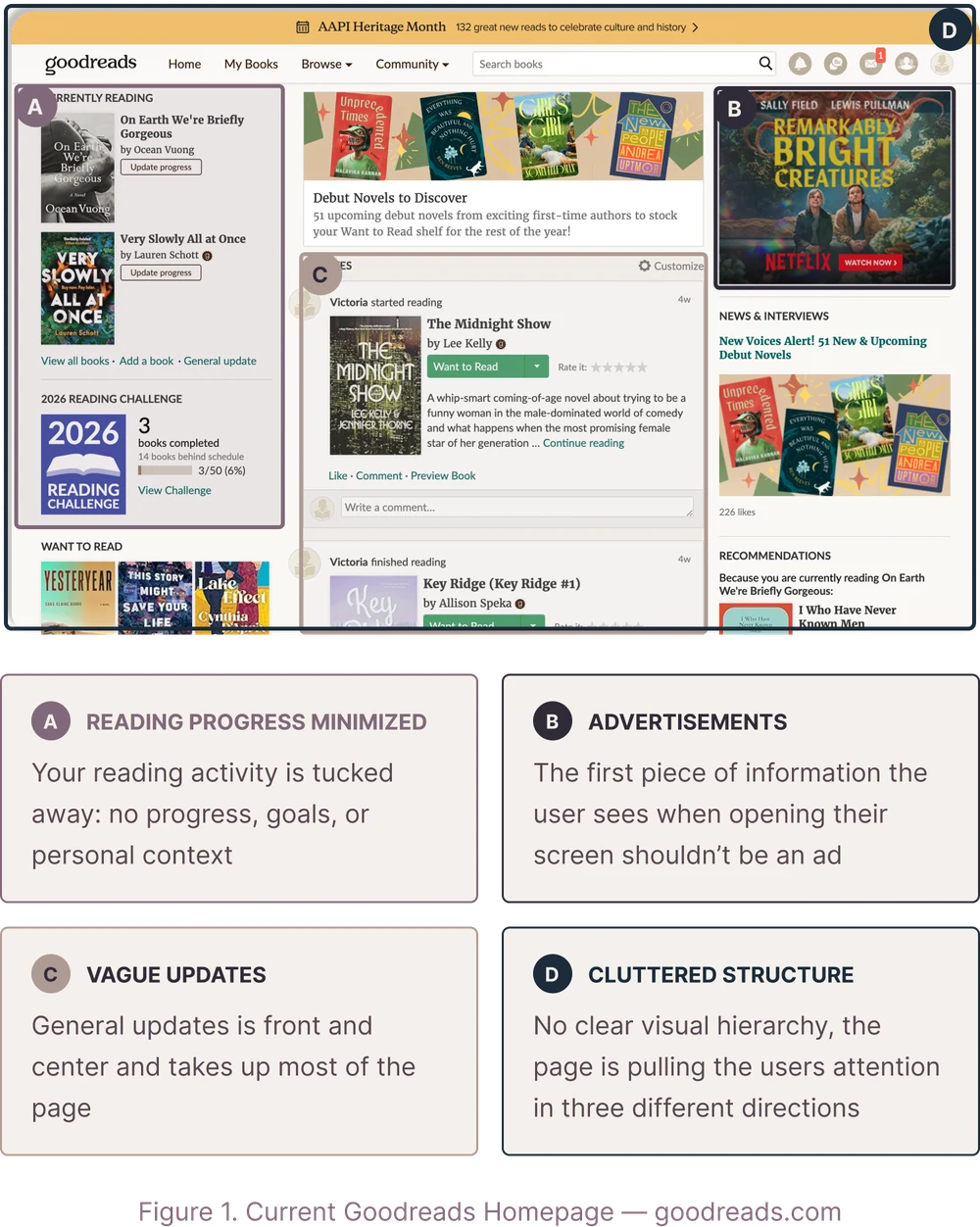
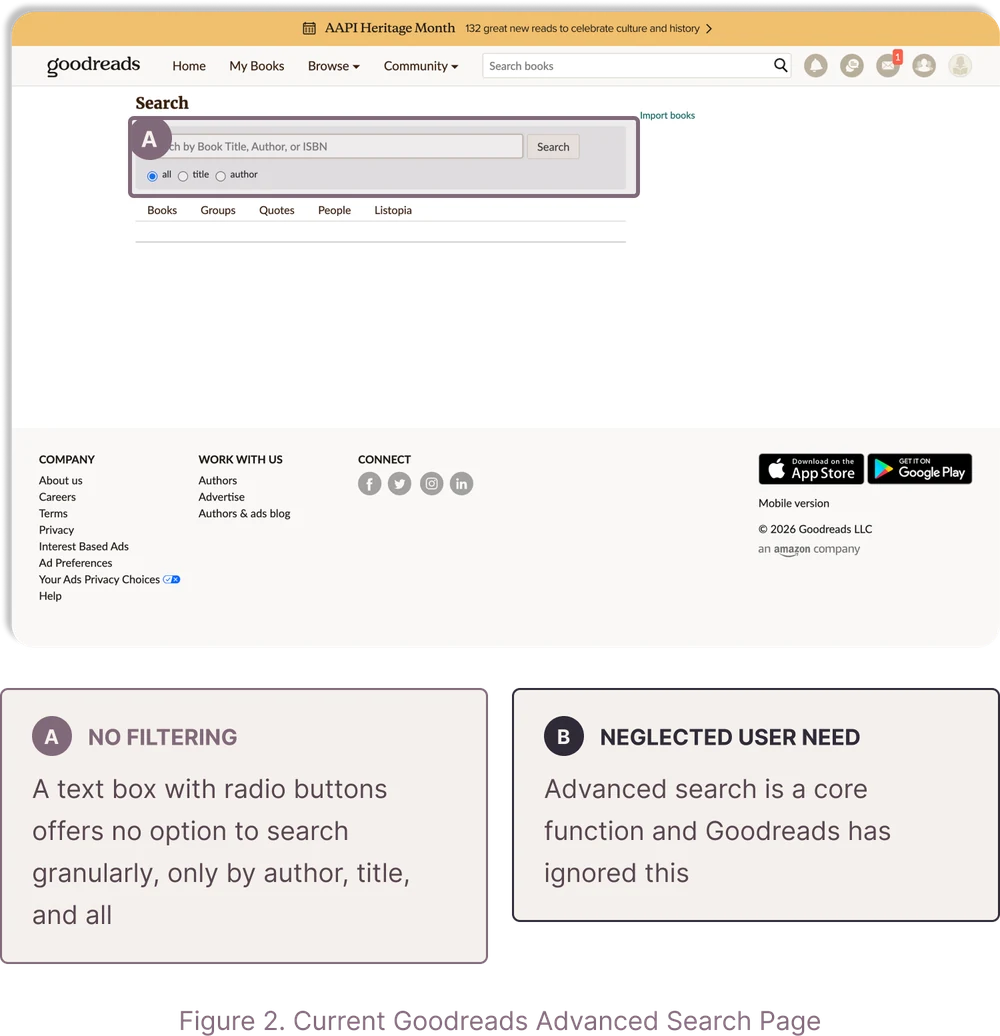
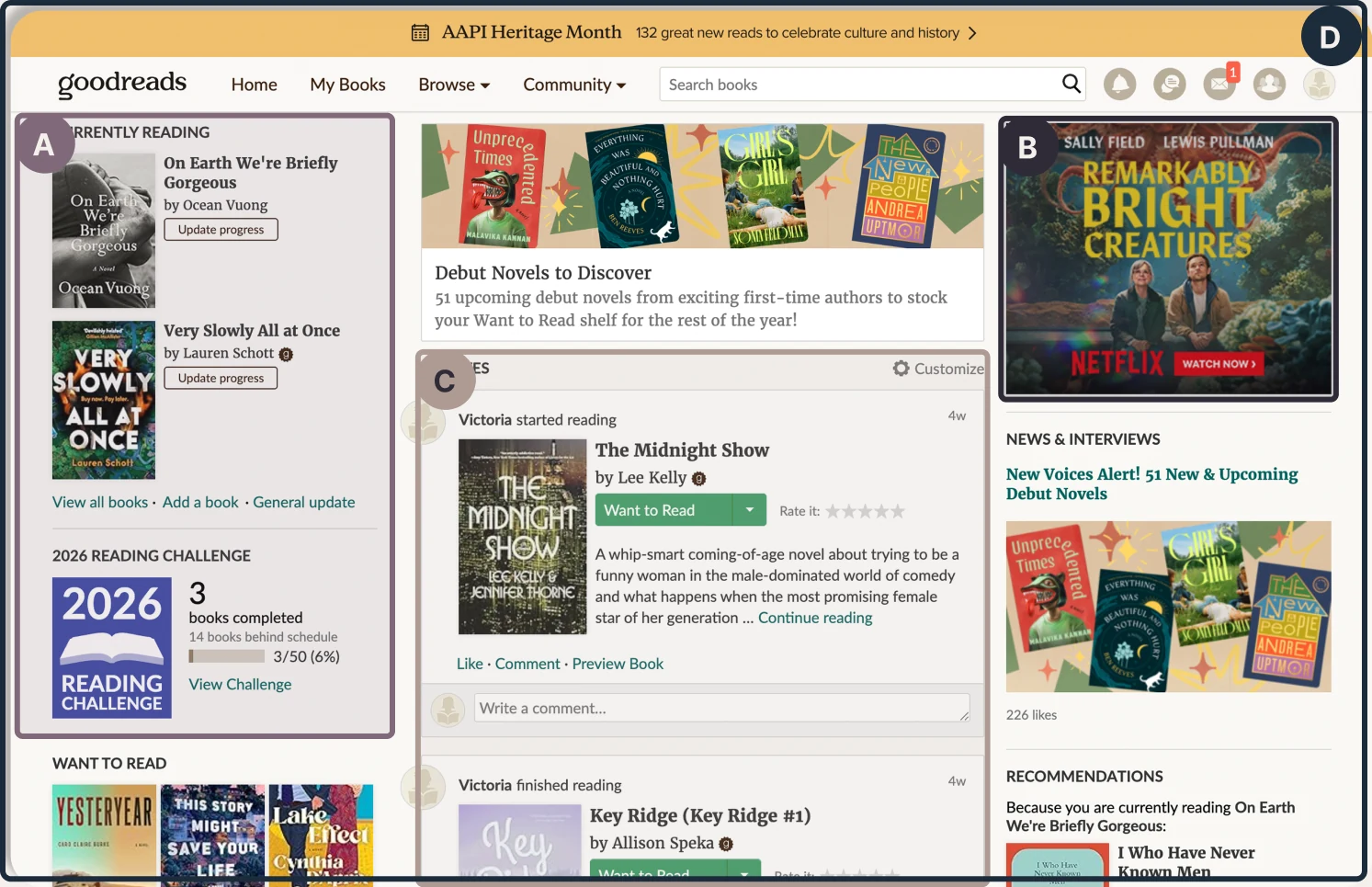
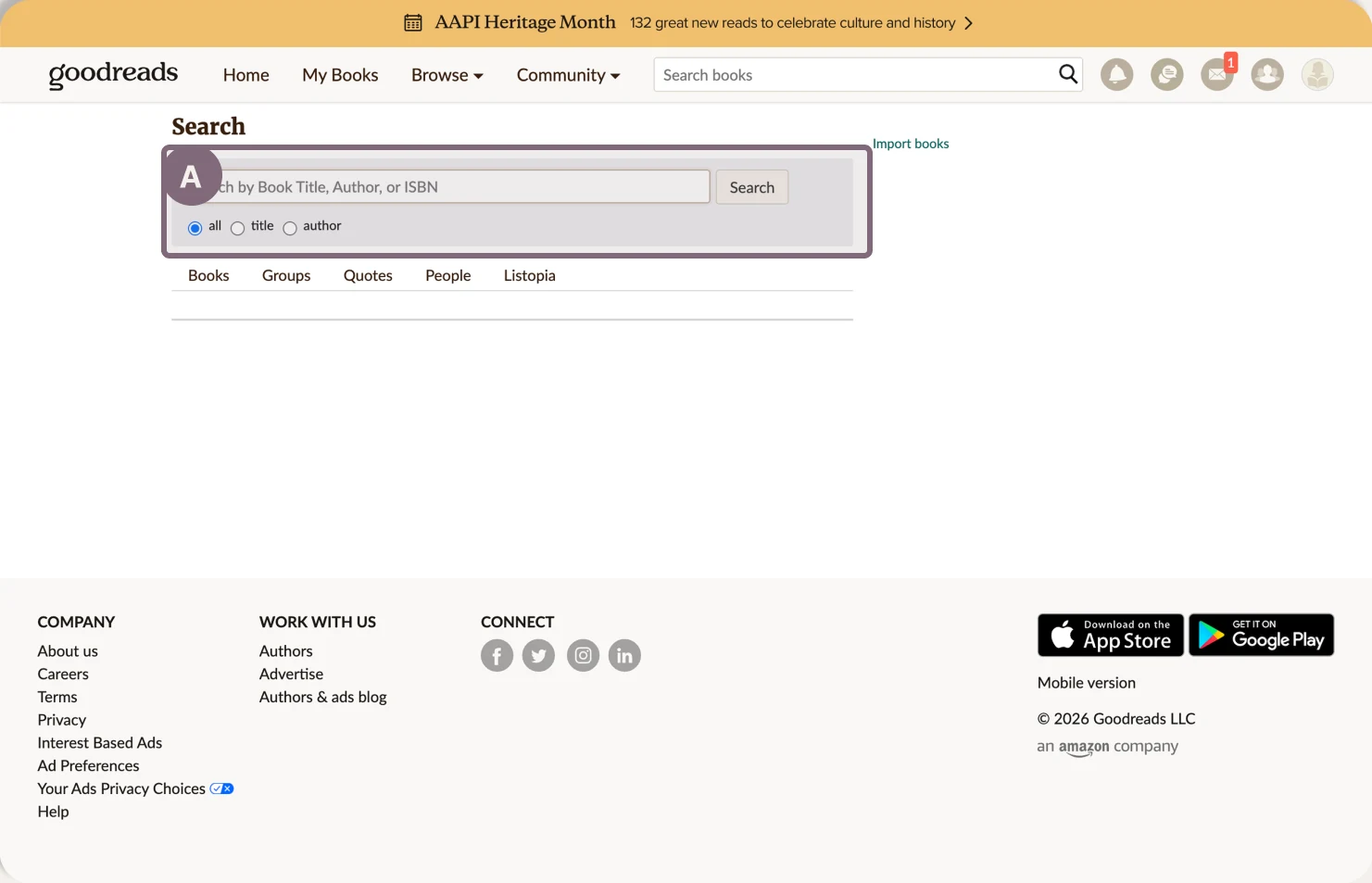
In July 2025, Goodreads updated its logo for the first time in 20 years, likely in response to competition from StoryGraph and Fable (Snelling, 2025). Readers noted it was largely cosmetic and ignored the features they’d actually been asking for. Figure 1 shows the current homepage: navigation, search bar placement, and core tracking tools are unchanged. Only the logo and color accents were refreshed. Figure 2 makes the same point directly: Goodreads' 'advanced' search is still a single text field with three radio buttons, the exact limitation readers have been flagging for years. Our redesign addressed what Goodreads continues to ignore.
Goodreads should be a platform where your personal library, local bookstore, and weekly book club all sit in one place. Readers want a trusted recommendation from a friend, a bookstore clerk, or the New York Times book reviewer, not an algorithm. Goodreads is instead a hodgepodge of features hidden in a corporate, cluttered interface. People accept that because it's all they've ever known.
Every design decision in the final screens traces back to something a user told us along the way.
We gathered seven participants from family, friends, and classmates: a mix of avid, casual, and social readers.
Three reader types emerged, and our redesign needed to keep all three in mind.
20+ books a year. Tracks their reading and uses Goodreads as a personal companion.
A book every few months. Comes to Goodreads to check ratings and reviews.
Finds books through friends and social media. Uses Goodreads mainly to log books.
Common groundAll three used Goodreads to verify ratings and reviews before or after reading.
What we confirmed was useful, but what surprised us was more valuable: users had stopped trusting the interface. Most came just to track books and check ratings, ignoring the rest of the platform and going elsewhere for discovery. According to one user, the interface felt “very Amazon”: corporate and impersonal rather than built with readers in mind. Fitting, given Amazon has owned Goodreads since 2013 (Flood, 2013). Small but telling gaps kept surfacing too: no way to mark a book Did Not Finish, no private note-taking, and recommendations disconnected from their actual taste.
The rating system was a consistent frustration. One participant compared rating a classic like War and Peace against a beach read on the same five-star scale: “Are you going to 2 star War and Peace? That's crazy” (P1, Qualitative study). People wanted a system that could rate difficulty, enjoyability, and readability separately, rather than collapsing every book onto one scale.
We came out of research with a clear vision: build a platform that makes people love reading, not just tolerate it. Making Goodreads feel human and personalized was the only way to make it worth using.
We each took on a different part of the redesign. I chose the Homepage and Advanced Search because they were meaningful to me as a reader. The homepage is where someone decides if they want to stay or go (see fig. 1). Goodreads has retained its user base because it was the only option for a long time, not because it has any real staying power.
Search has become more critical than ever, and Goodreads makes it hard to find what you're looking for (see fig. 2). As a team we covered the full platform, but my focus on these two screens reflects where I felt the most could change for readers.
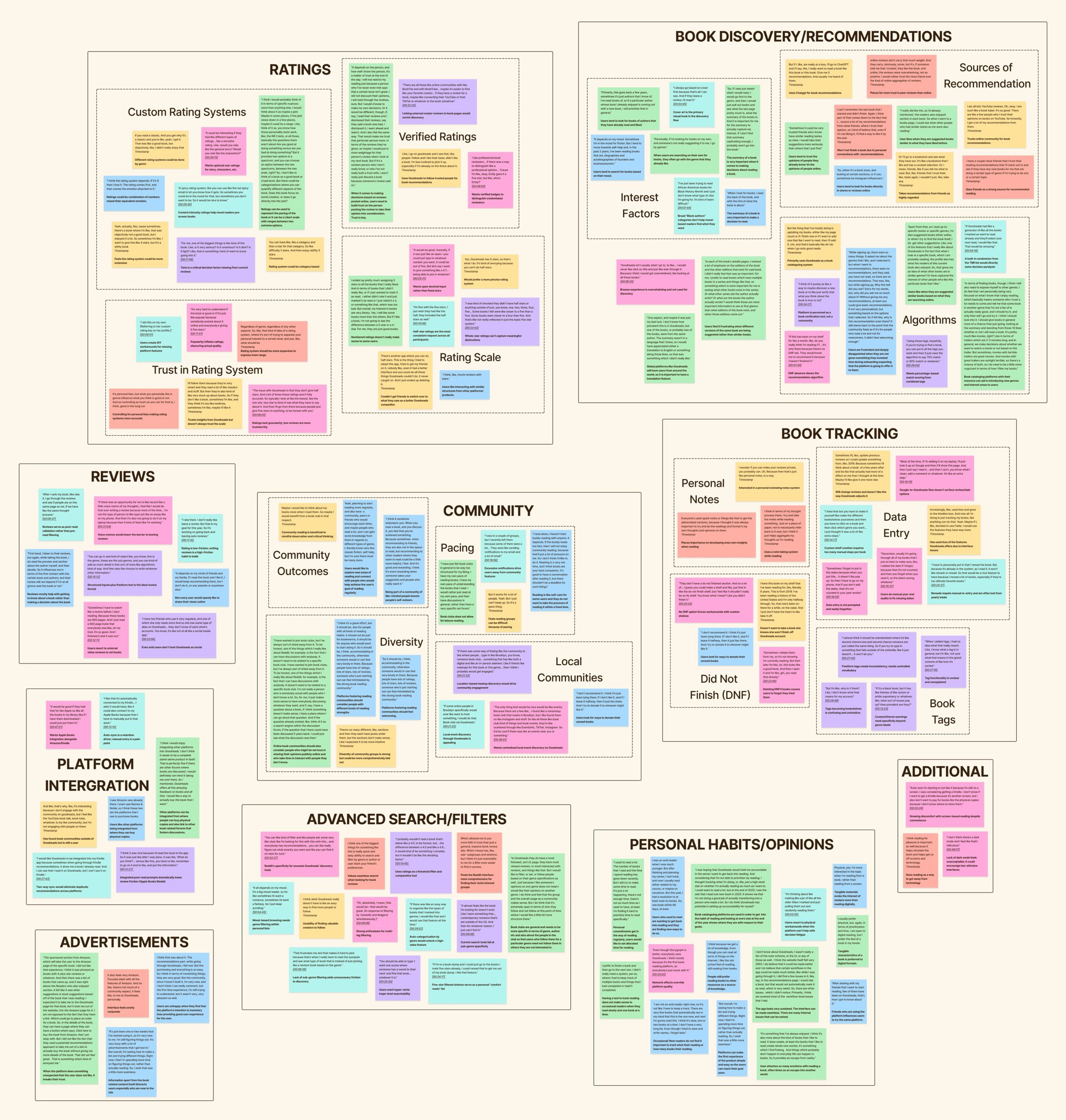
As a team we compiled our interview notes and created an affinity map of the most revealing insights on a shared FigJam board (see fig. 3). The insights fell into ten clusters, and five areas stood out: community, book tracking, advanced filters and search, book discovery and recommendations, and rating and reviews. Across almost every cluster, one thread kept coming up: cluttered layouts with no clear visual hierarchy, making it hard for users to find what they came to do.
Community generated real insight, but we chose not to take it on given the timeline. Tracking, discovery, and search were where people felt the most day-to-day friction, so that's where we narrowed our focus.
These clusters became the backbone of every design decision that followed. The homepage would act as the spine where key features merged into a personal dashboard. Advanced search would be built from scratch, since the current search is just a bar with radio buttons (see fig. 2). The book profile, ratings, and library would be made more intuitive and less cluttered.
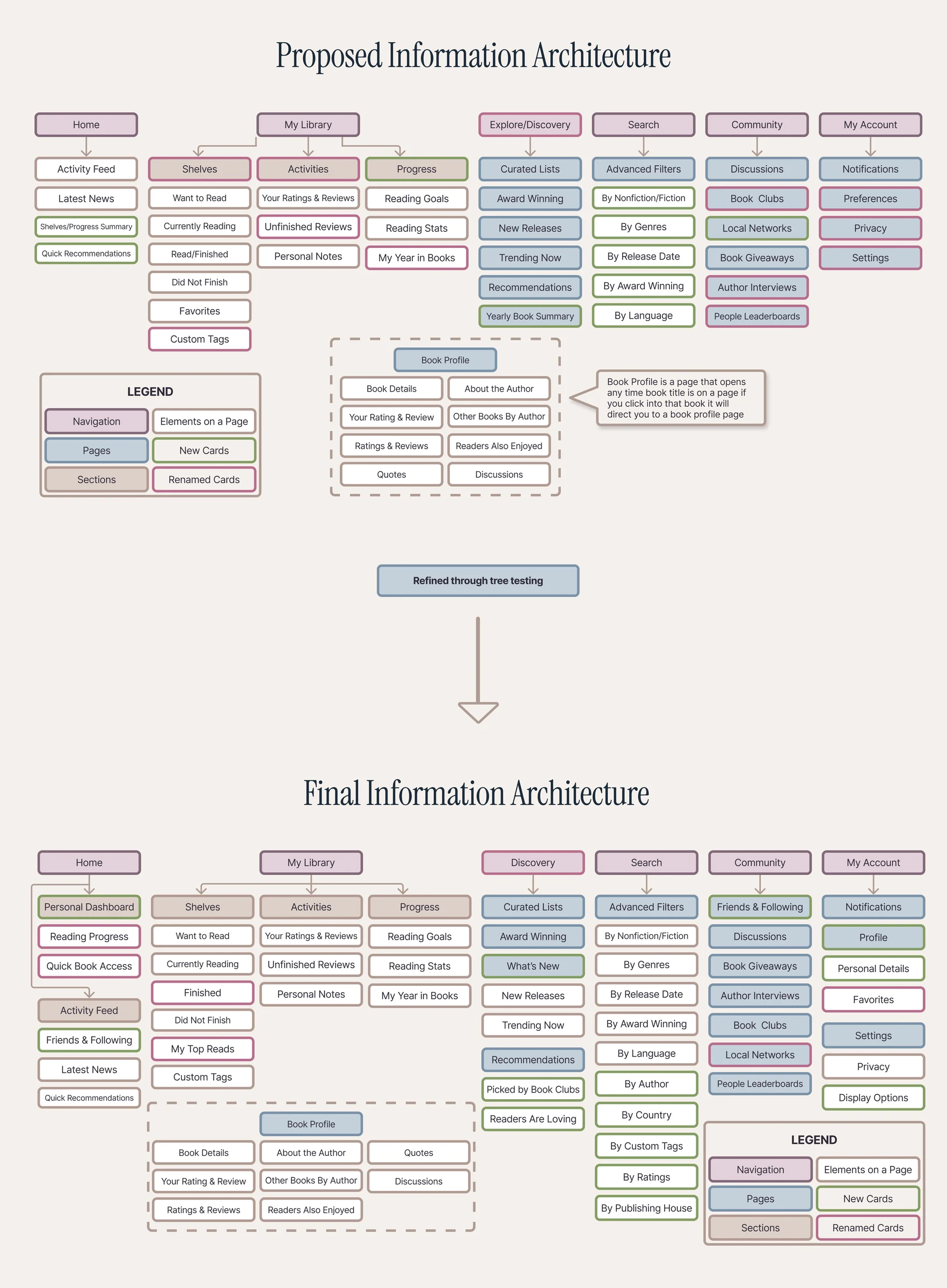
With our final IA in place, we first made rough sketches (fig. 5) before moving to static grayscale Figma screens.
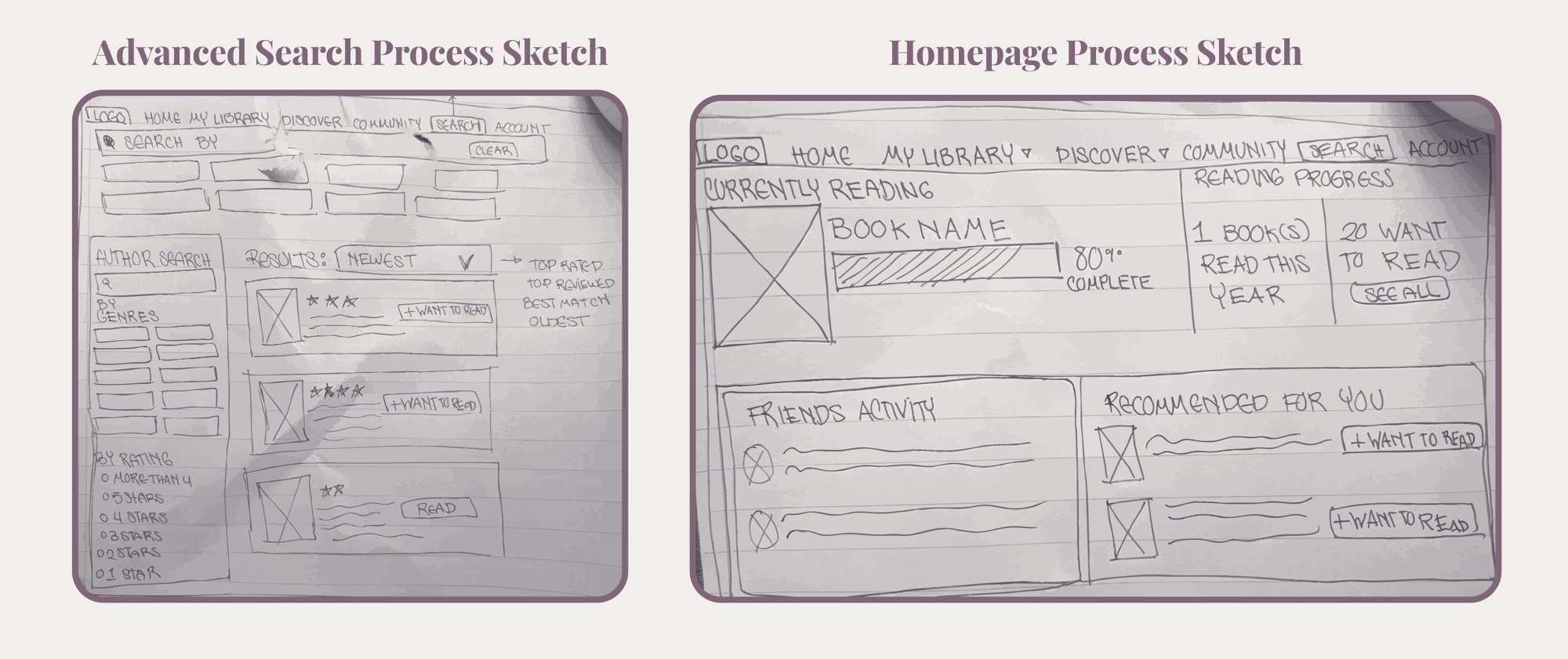
This process felt like an hourglass: start with the big picture, narrow in on the details, then step back to check whether the goal was achieved.
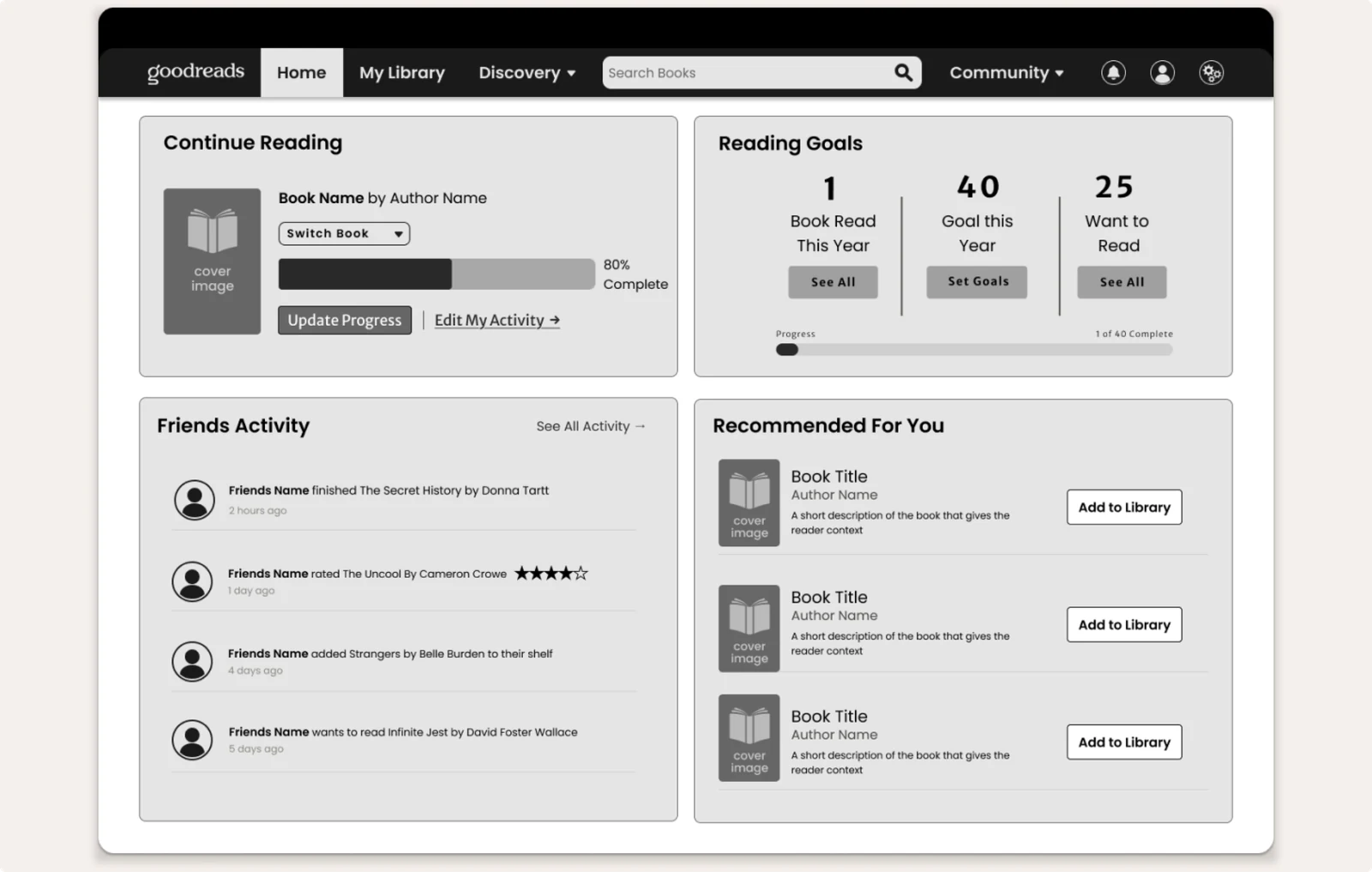
The Homepage needed more than a refresh. It needed to be completely restructured. It was cluttered, had no visual hierarchy, and buried the features people actually came for while prioritizing advertisements and generic Goodreads updates. The redesign reframes it as a personal dashboard: made by the reader, for the reader.
The mid-fidelity version of these features can be seen in figure 6. We took the corporate feel away and gave Goodreads back to the readers, and it shows the second you open the Homepage.
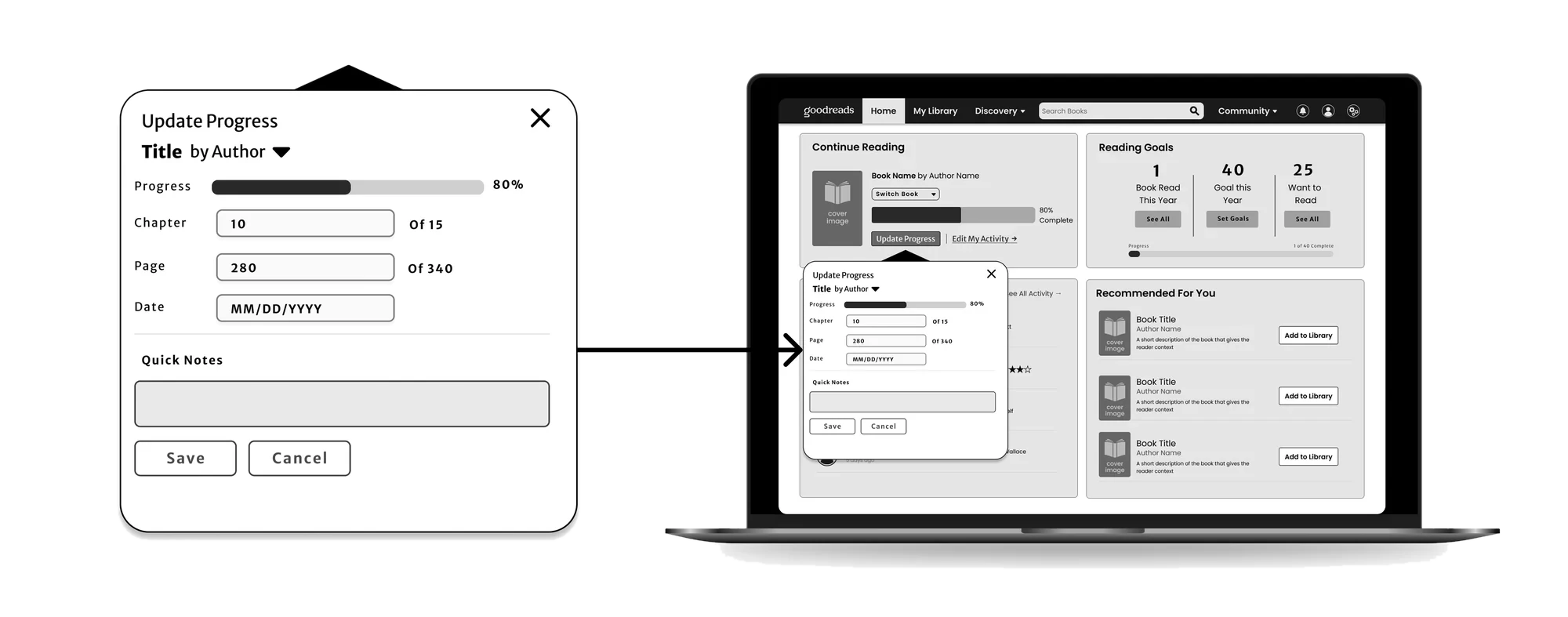
The current Goodreads search page is almost laughable: a single bar in the center of a blank page with three radio buttons and virtually nothing else (fig. 2). We built this from the ground up.
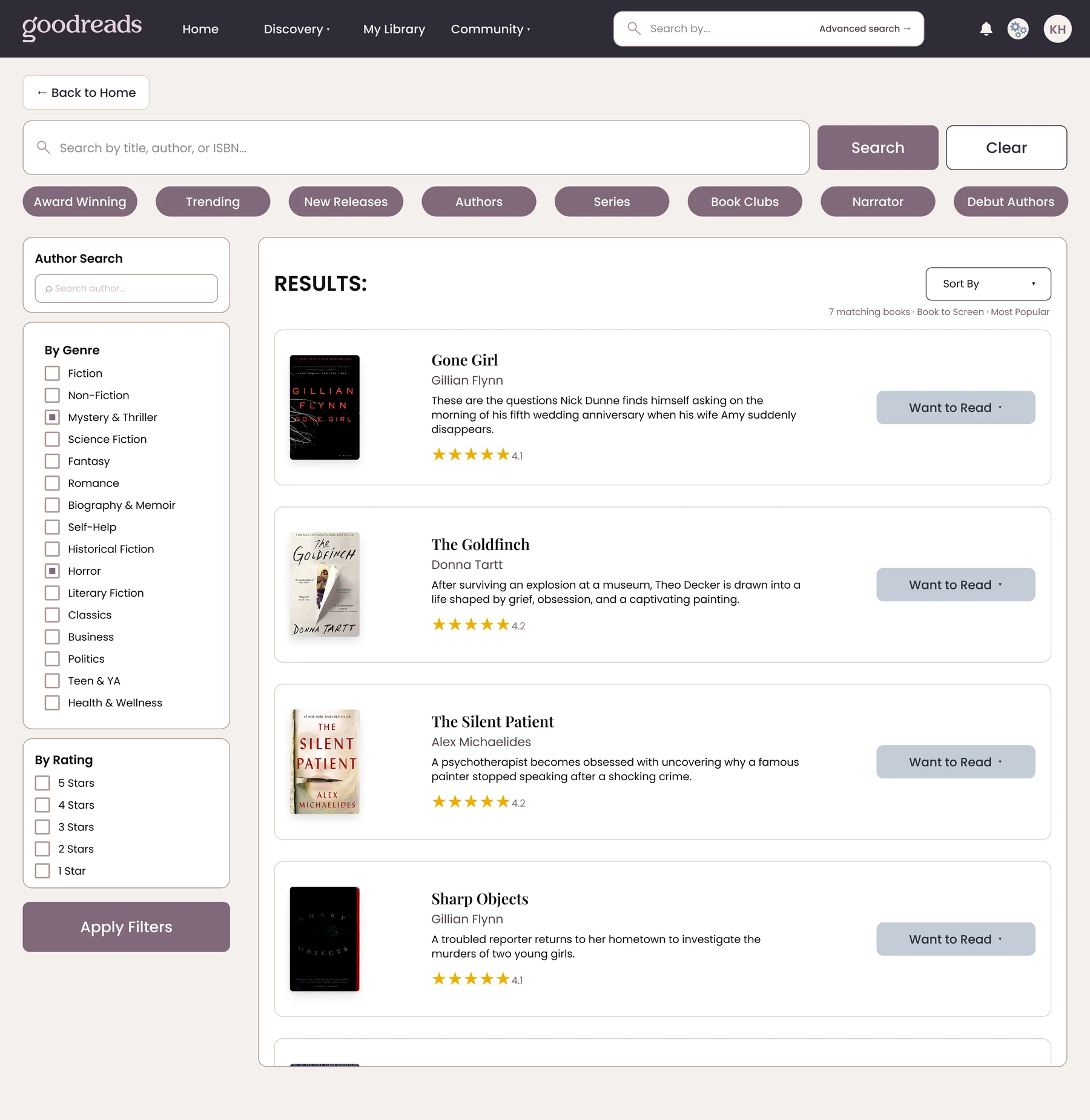
Now readers can find exactly what they're looking for, or discover something they didn't know existed.
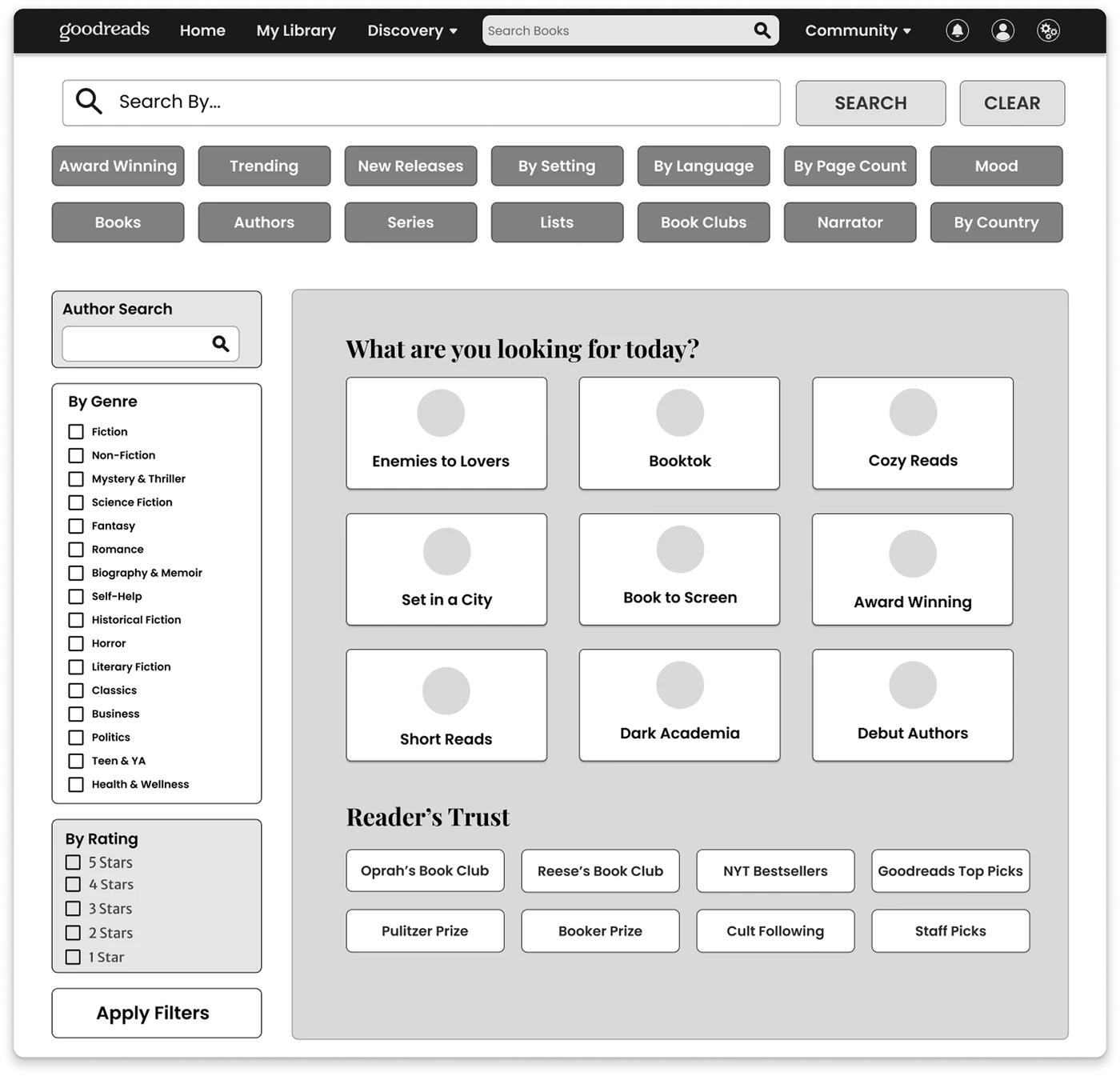
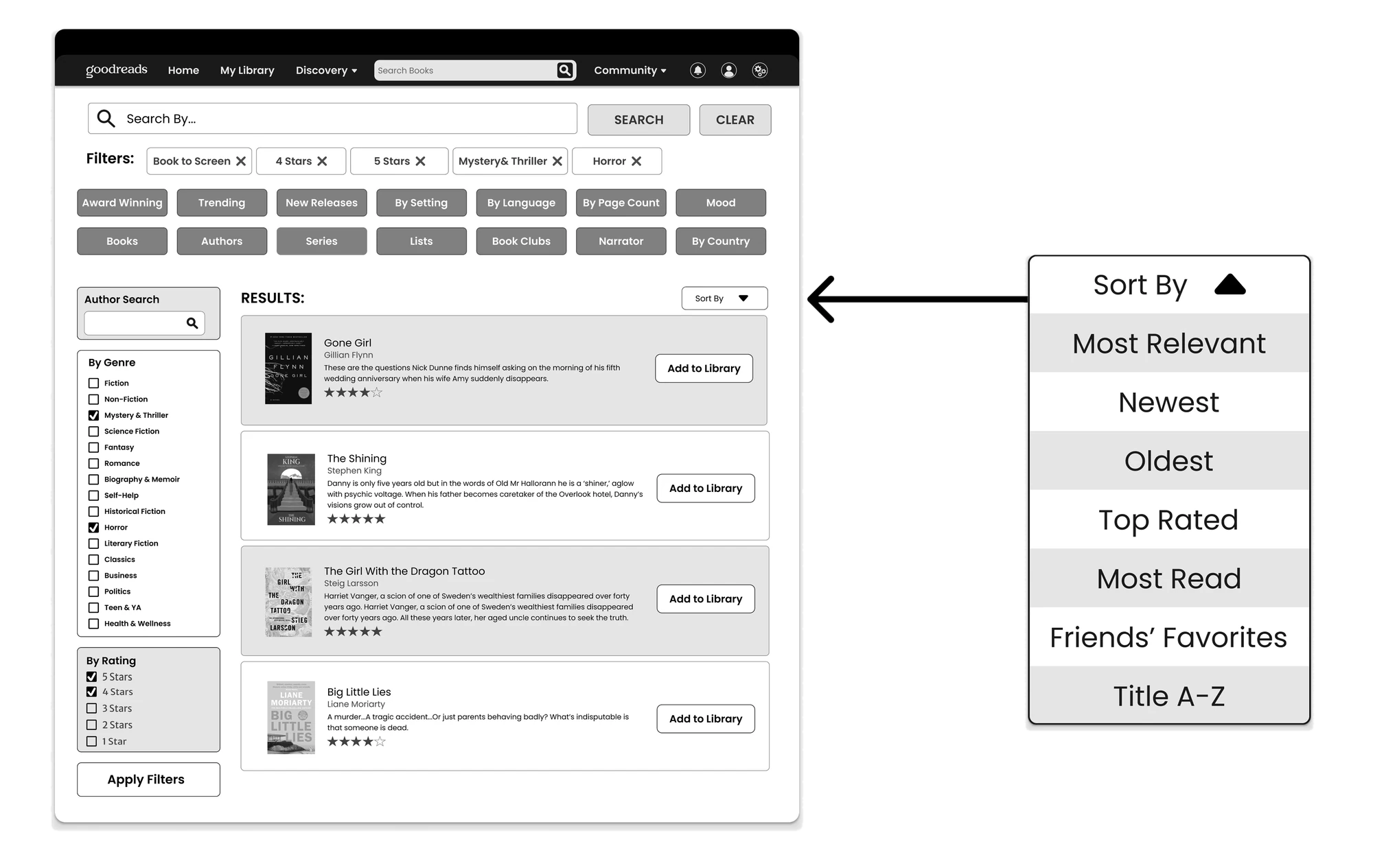
The prototype was presented to fellow design students in class and submitted as an annotated document walking through task flows, a screen-by-screen overview, and the research behind every design decision. It's built around four specific task flows. View the task instructions here: Task Flow Document, then explore the full mid-fidelity prototype here: Goodreads Redesign Prototype.
After the team project ended, I took my two screens further on my own. I rebuilt the Homepage and Advanced Search at high fidelity, then tested them against different scenarios to make sure the layouts held up: a reader with no book in mind, a reader who knows the author but not the title, and a reader who wants a pick from a source they trust. I then asked friends and family to move through the screens to check that the flow made sense to people outside the project.
From there I built a design system, finalizing everything from colors to typography so both screens share the same components. Last, I worked with Figma AI to turn my designs into a working prototype you can click through here.
Click through the homepage and advanced search above.Open full screen ↗
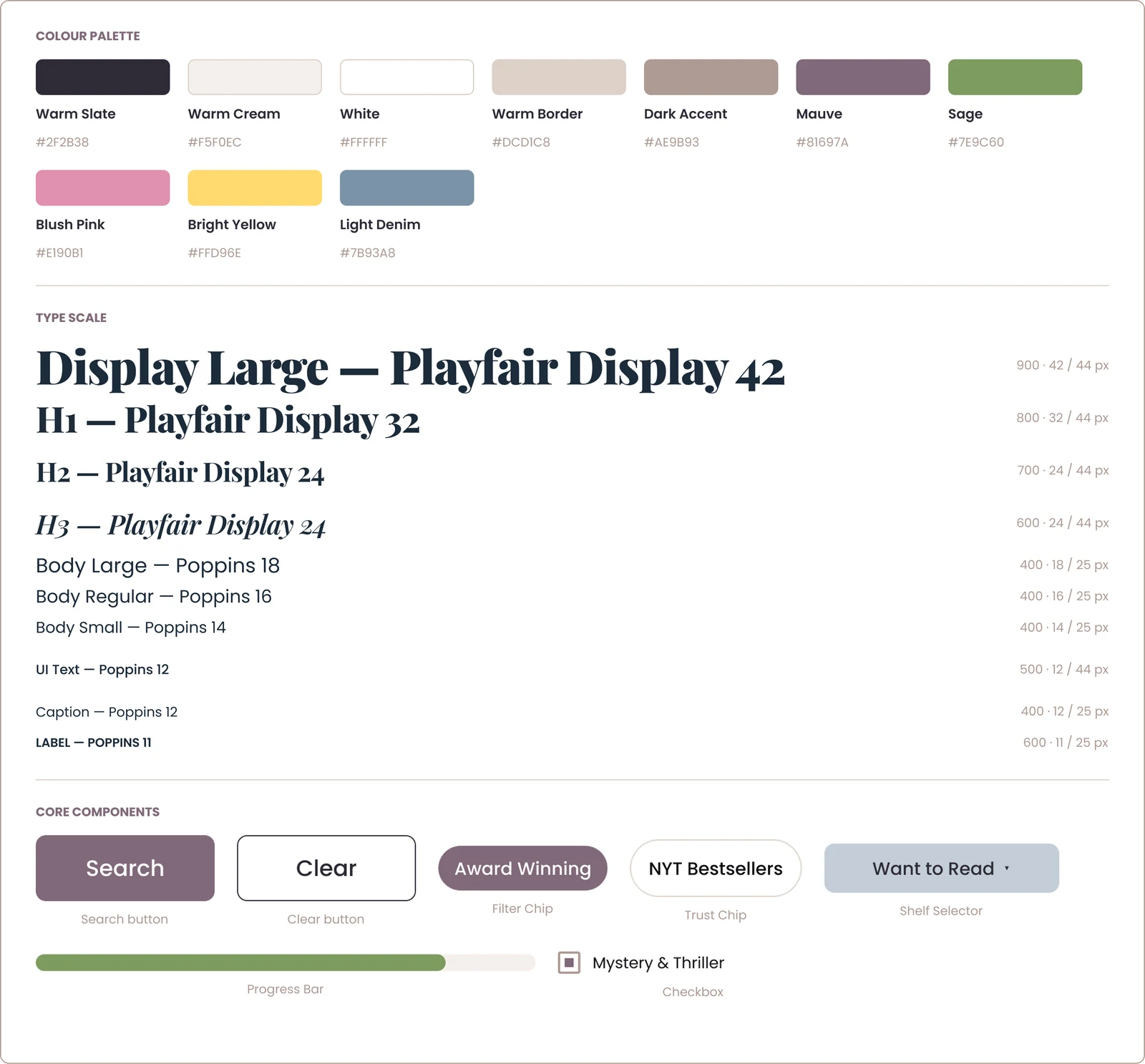
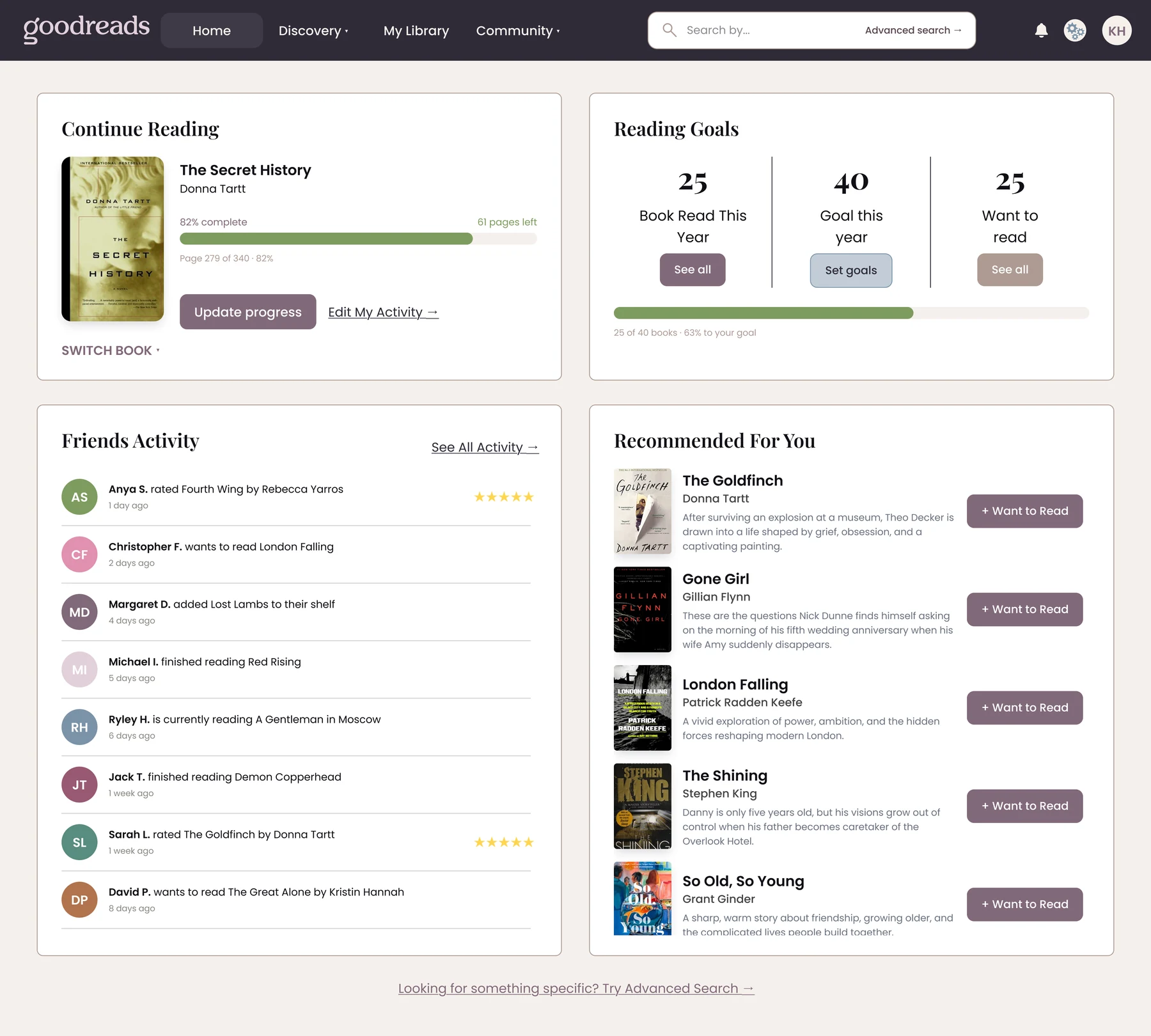
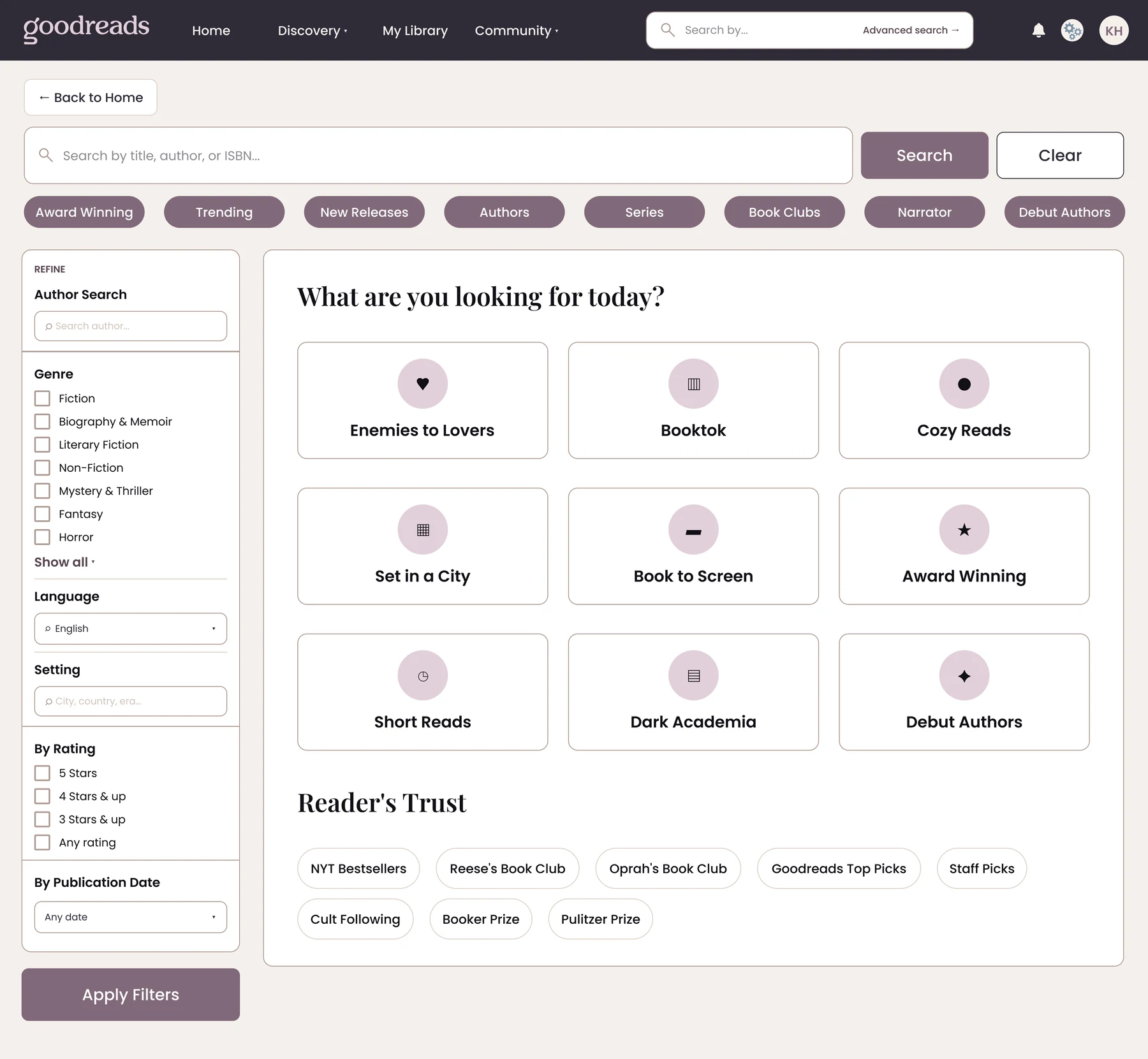
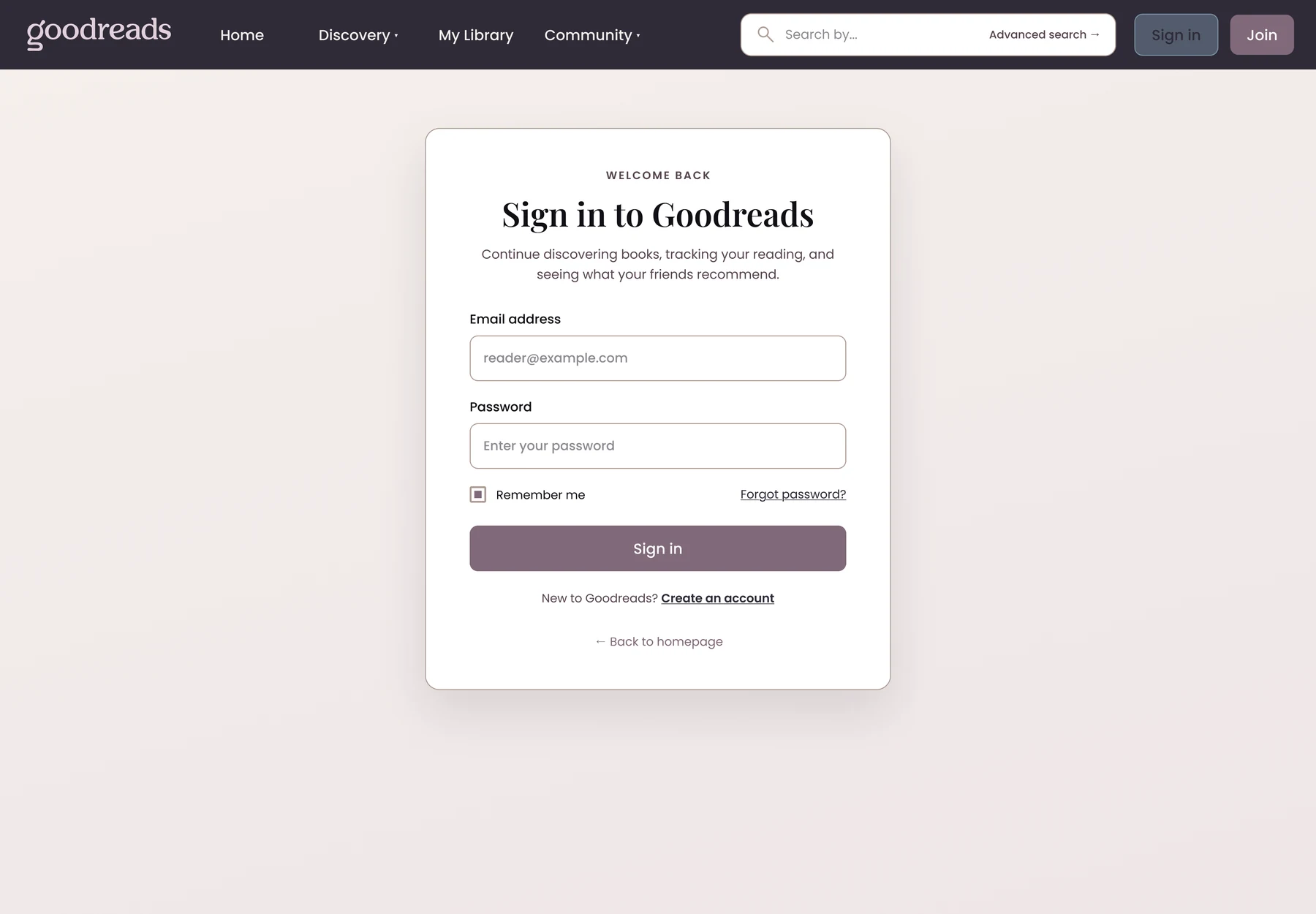
This project taught me that UX design can't be rushed. Testing with real people at every stage is non-negotiable, since as a designer you're too close to your own work to see its flaws clearly, and small issues caught early stay small. I also learned not to jump into Figma too soon: my most interesting homepage and search ideas came from paper sketches, not screens. Most importantly, designing with a real goal in mind changes the work, and keeping "make Goodreads feel like it belonged to the reader" in mind through every phase is why the screens turned out the way they did.
Flood, A. (2013, April 2). Amazon purchase of Goodreads stuns book industry. The Guardian. https://www.theguardian.com/books/2013/apr/02/amazon-purchase-goodreads-stuns-book-industry
Norberg, L. (2025, August 9). Goodreads’ first redesign in 20 years: What changed and what didn’t. Medium; Bootcamp. https://medium.com/design-bootcamp/goodreads-first-redesign-in-20-years-what-changed-and-what-didn-t-23589497264c
Snelling, G. (2025, July 16). After almost 20 years, Goodreads has a new logo fit for Booktok. Fast Company. https://www.fastcompany.com/91368403/goodreads-logo