
UX case study
2-minute skim
Sweetgreen UX audit
Making ordering faster, safer, and more user friendly for pickup customers
Tools: Figma
The opportunity
Overview
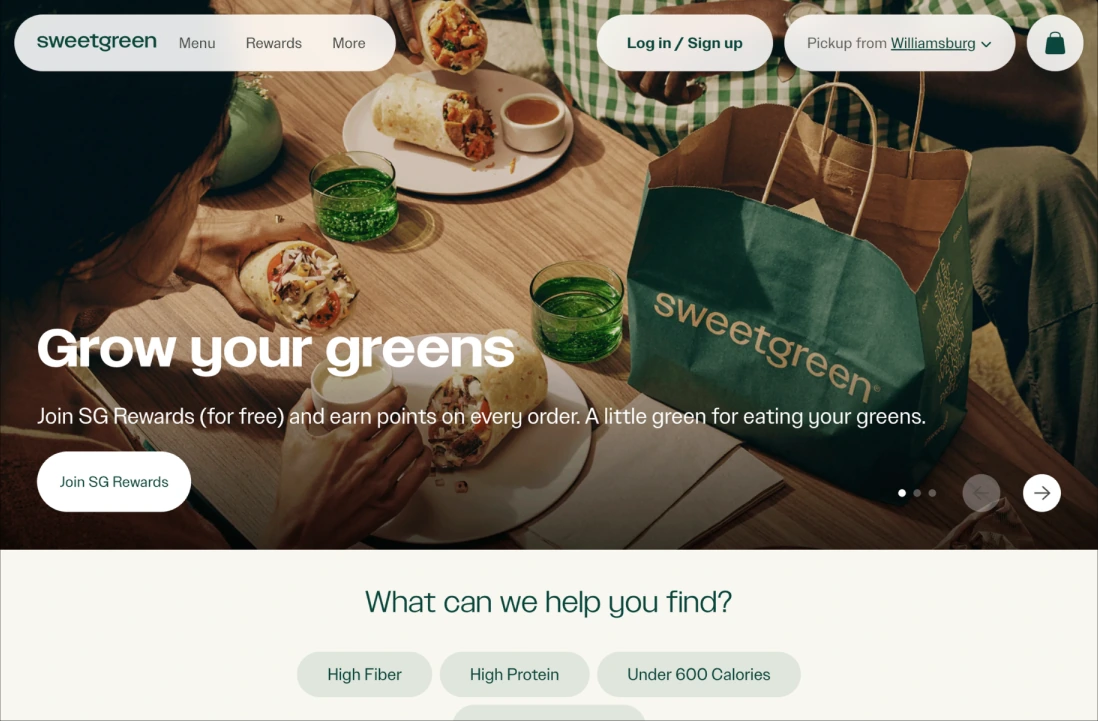
Sweetgreen's website is visually appealing and easily allows the user to find what they're looking for, with clear and nicely placed images of their menu items and an order-building process that is user friendly and customizable. However, the most severe problems appear at the points where the user has to make a decision: checking allergens while building a salad, choosing a pickup location, and completing checkout without an account. Our team of three evaluated the pickup ordering journey, and as lead evaluator I compiled our findings into three recommendations.
The audit at a glance
13
usability issues found
8
rated Major or Catastrophe
3
recommendations made
Issues by severity
1 bowl = 1 issue · 13 total issues
Catastrophe3

Major5
Minor4
Cosmetic1
The scenario
One lunch hour. Six tasks.
You work in an office in the Empire State Building and have one hour for lunch. It is 1pm, and you want to place an order for a custom salad for pickup at the closest Sweetgreen to you. You are allergic to gluten, so you need to confirm that the salad you are ordering doesn't include any ingredients with gluten.
- 01Find the nearest Sweetgreen location to the Empire State Building and select for pickup.
- 02Build a custom salad with the following ingredients: quinoa, kale, apple, pickled onions, almonds, 2x chicken, avocado, parmesan, and green goddess ranch.
- 03Confirm the order is gluten-free before proceeding.
- 04Add a Spindrift Lemon to your order.
- 05Proceed to checkout.
- 06Attempt to complete your order without creating an account or signing in.
Finding 01
Allergen information
The problem
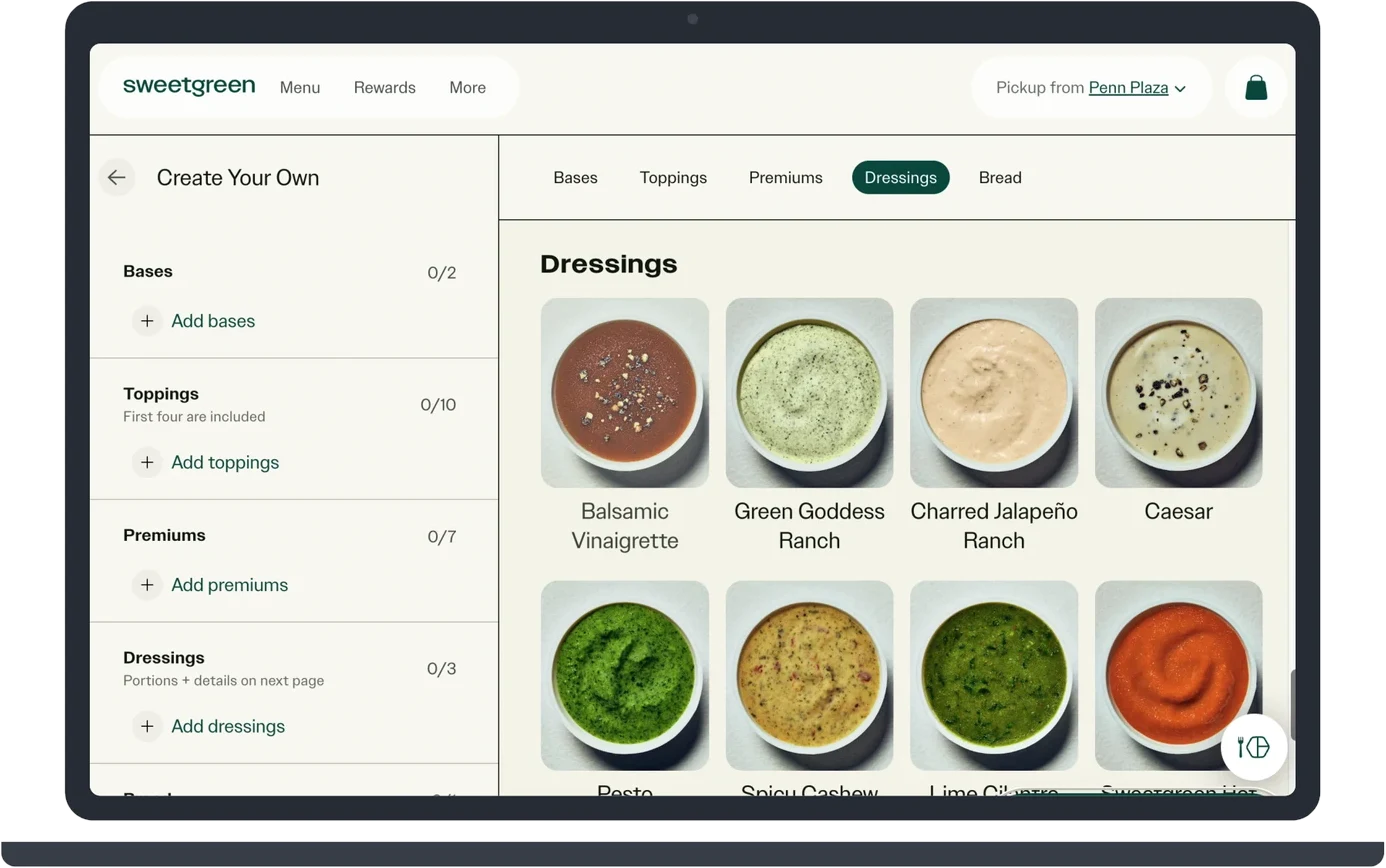
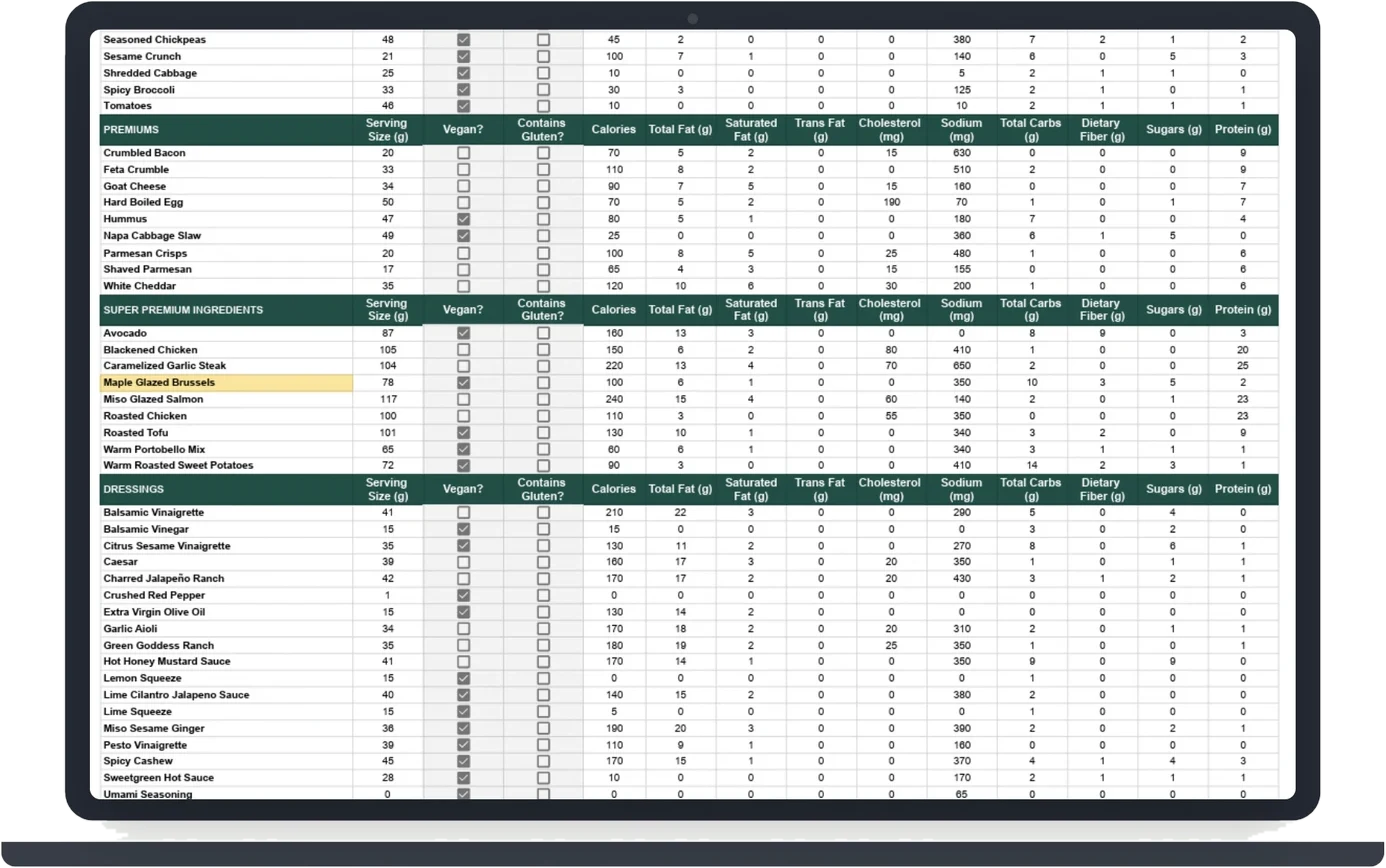
When building a salad or looking at the menu, users can't see which ingredients contain common allergens like gluten, nuts, and dairy, or filter by dietary restriction. This information is only in a large nutrition chart that is hard to find and has to be cross-checked by hand: a health risk for users with allergies.
The proposed fix
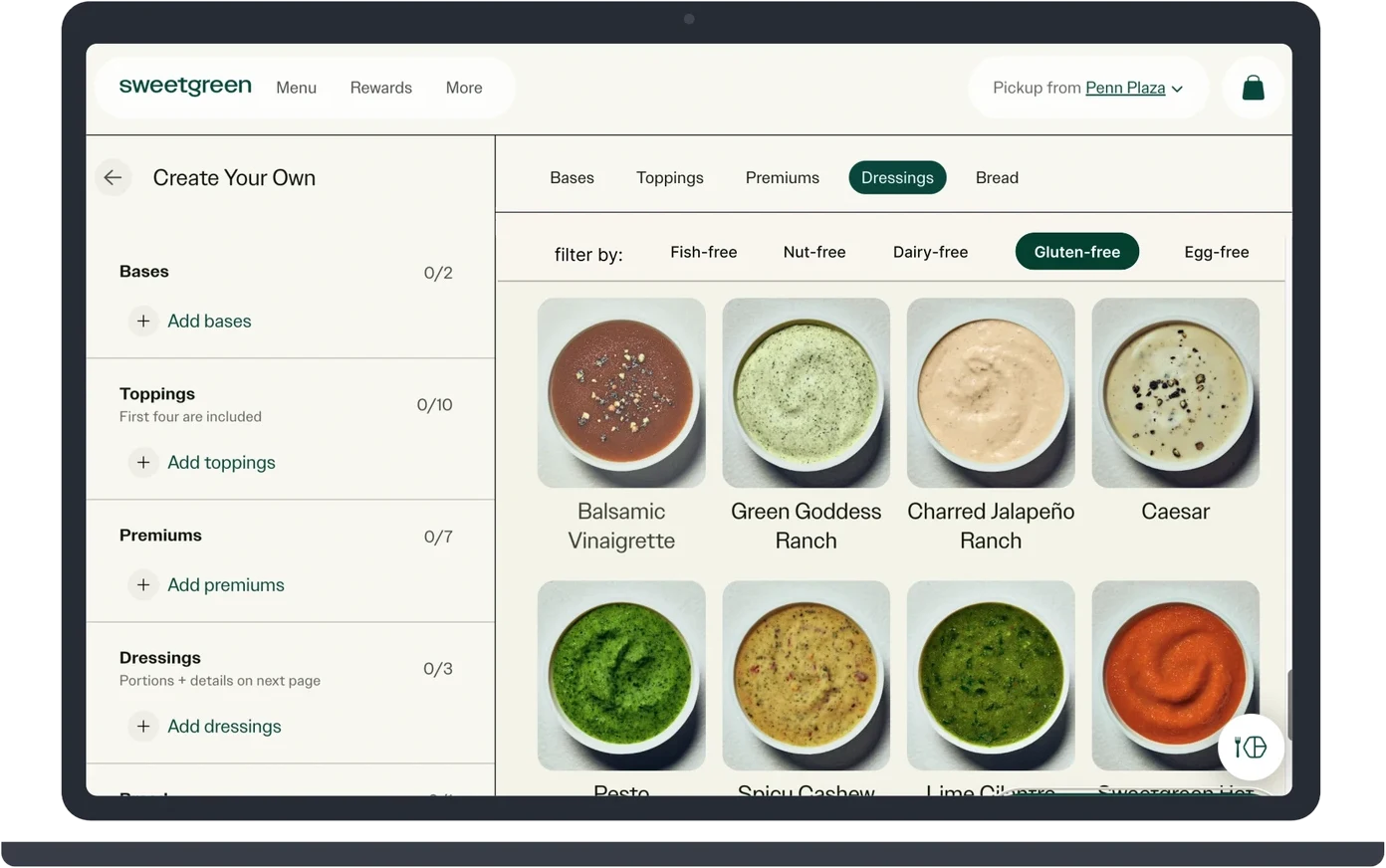
Adding a dietary filter bar to the ingredient builder so users can select their needs and hide items that don't fit, and labeling every ingredient with tags for the allergens it contains. This brings the allergen information Sweetgreen already has in its nutrition chart into the builder, so users can confirm their meal is safe while building it instead of cross-checking a separate chart.
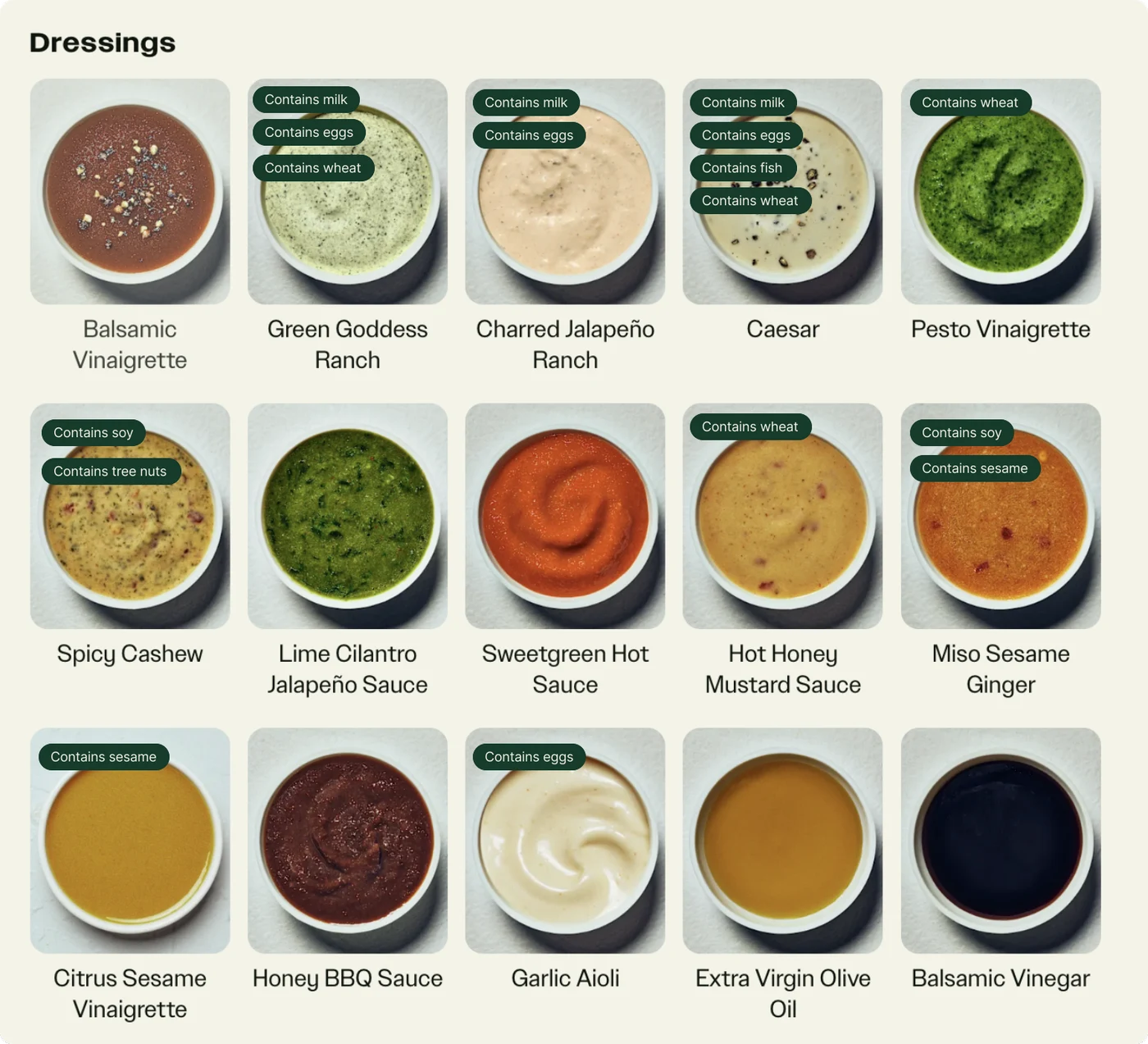
'Allergen info is buried at the bottom in an overwhelming chart.'
From the independent evaluation
Finding 02
Guest checkout
The problem
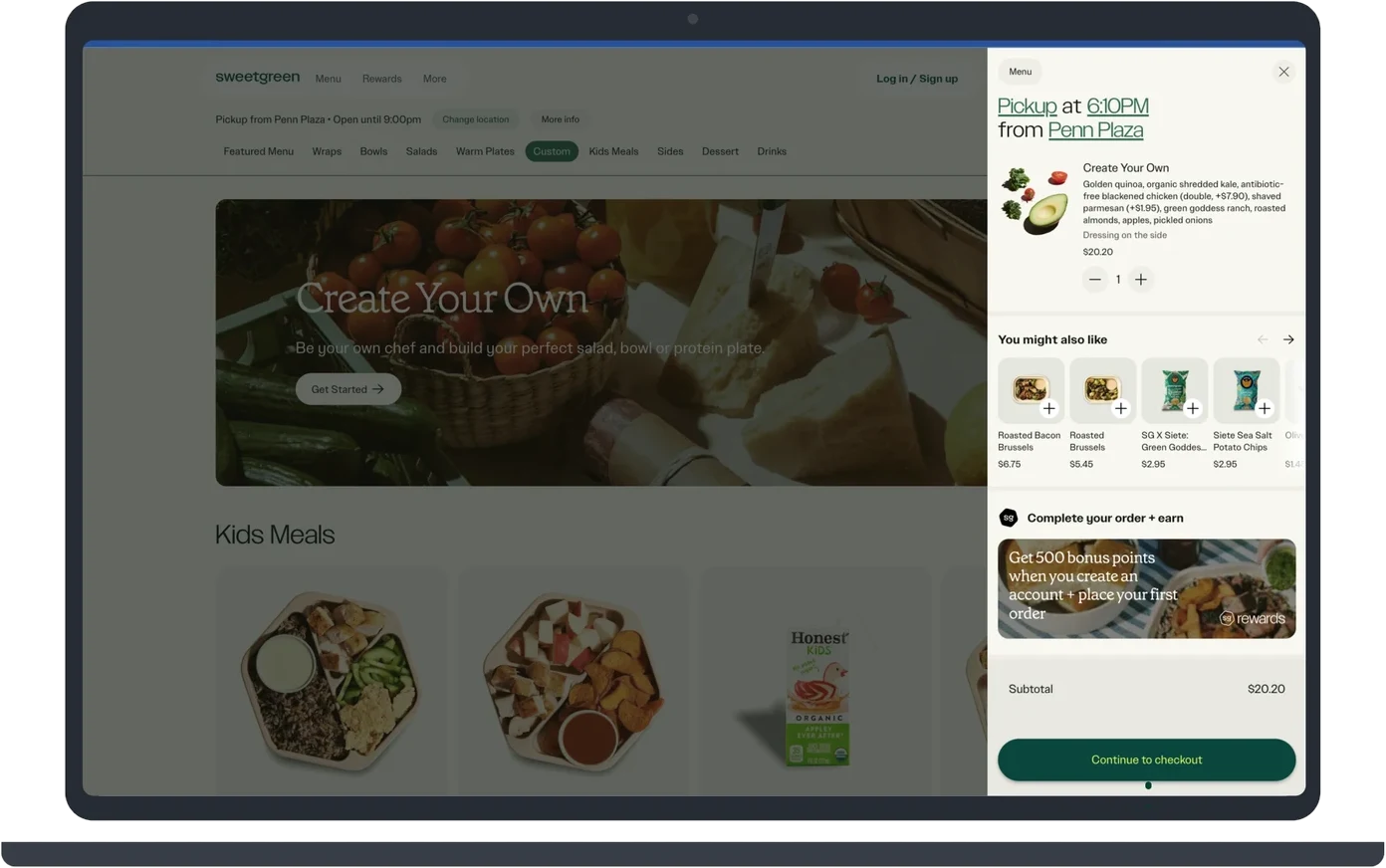
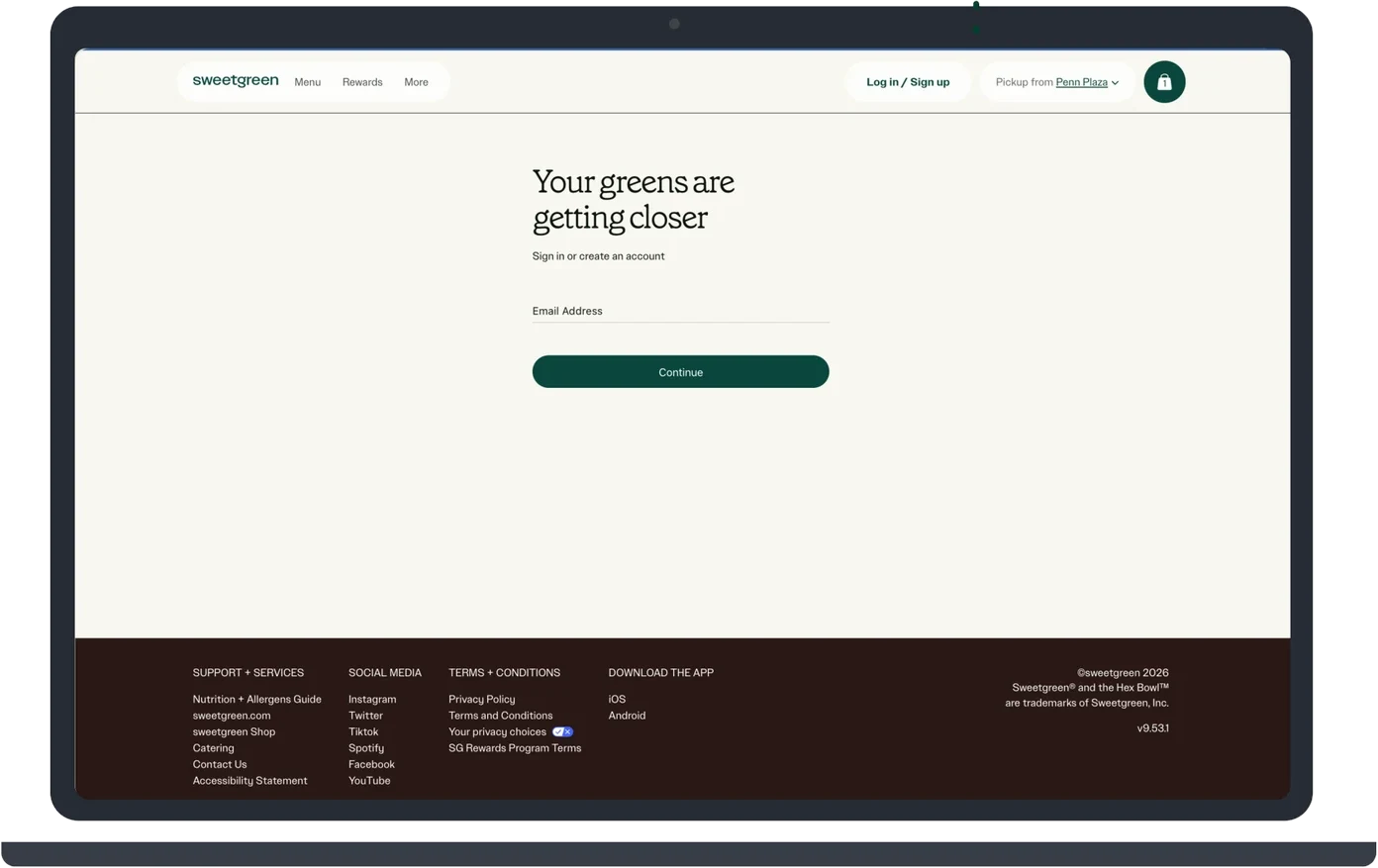
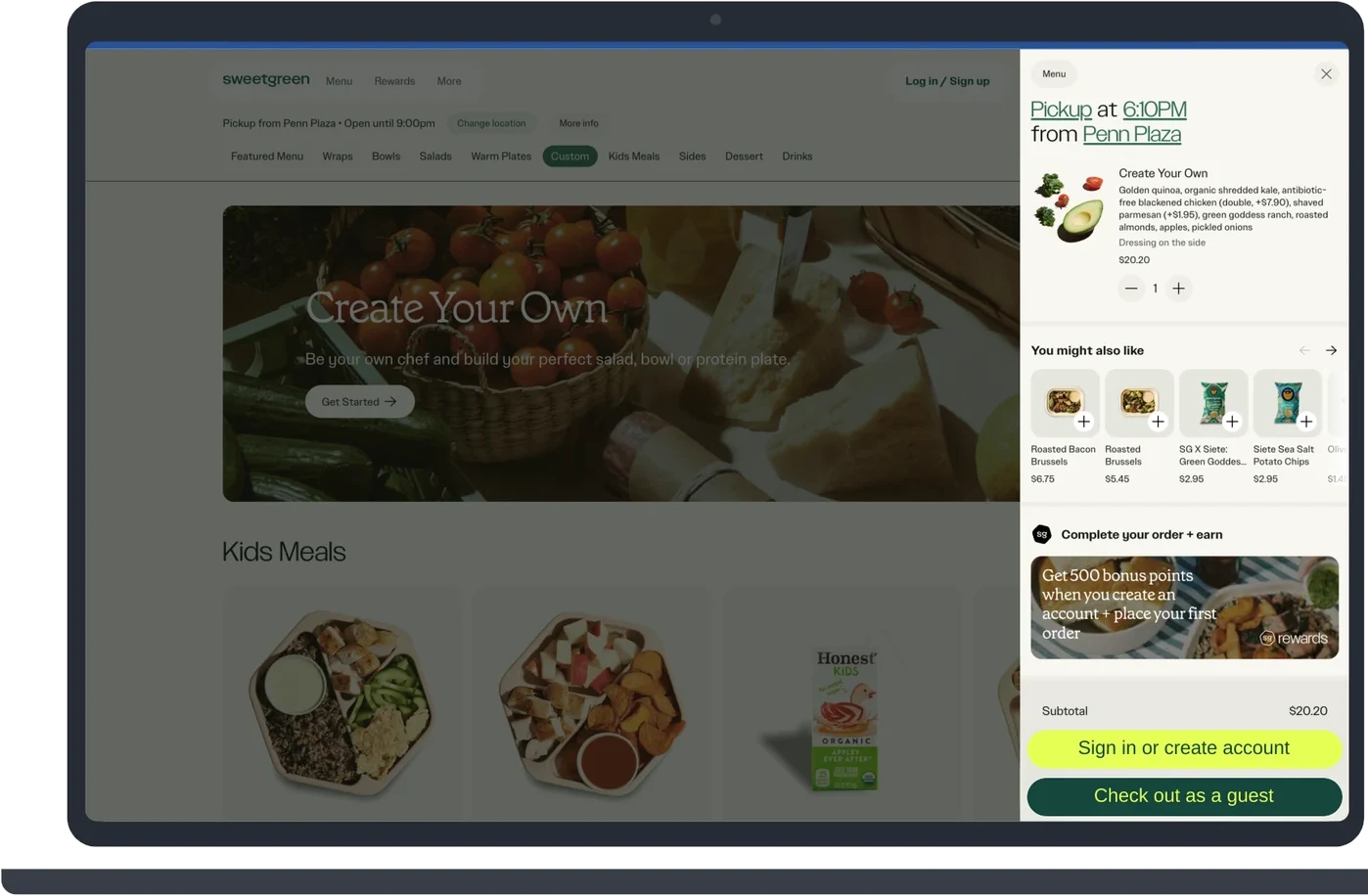
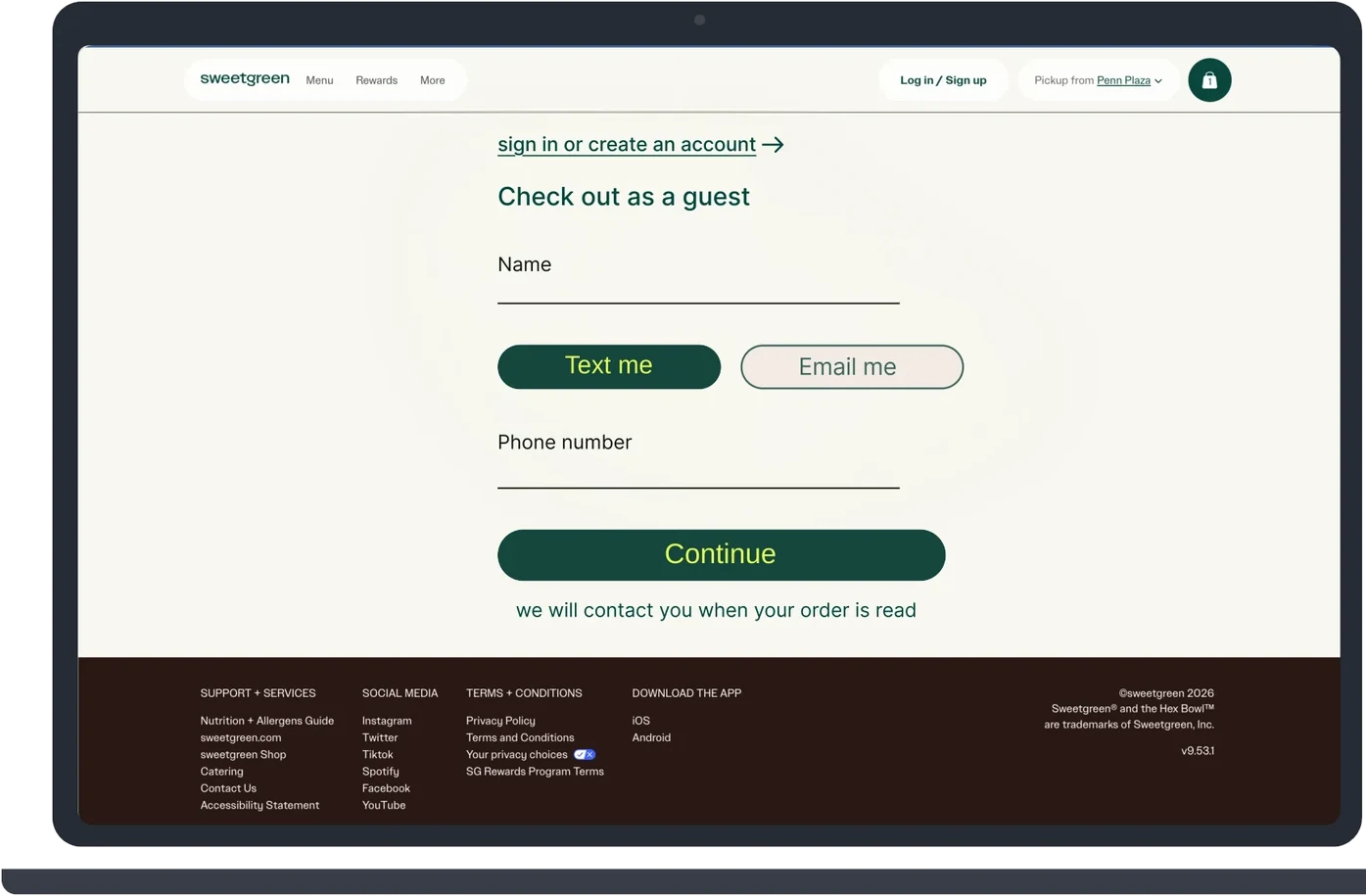
Users only find out they need an account after building their salad and clicking Continue to checkout. The next screen offers only sign in or account creation, with no guest option, which can frustrate and deter first-time or occasional customers from completing their order.
The proposed fix
Adding a 'Check out as a guest' option alongside 'Sign in or create account' in the cart, so users choose how to check out before being redirected. The guest path asks only for a name and one contact method, while sign in stays available as a link for returning customers. This removes the account creation barrier for first-time and occasional customers without taking anything away from rewards members.
18%
18% of surveyed US online shoppers cited 'The site wanted me to create an account' as a reason for cart abandonment, (Baymard Institute, 2025).
US online shoppers, not Sweetgreen customers. Excludes just-browsing shoppers.
Tradeoff: Sweetgreen likely requires accounts to grow its rewards program, so the design keeps sign in prominent.
Finding 03
Location search
The problem
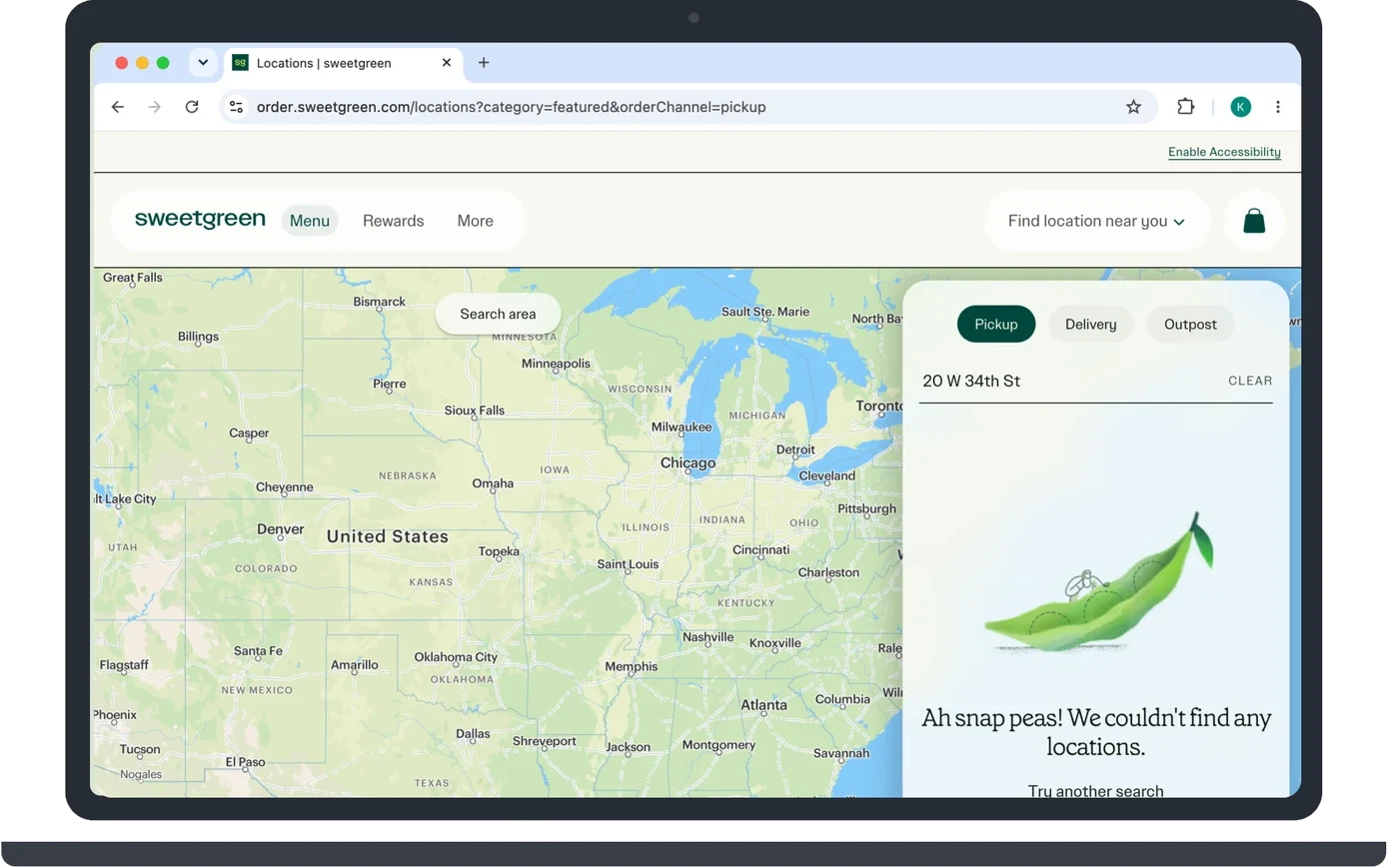
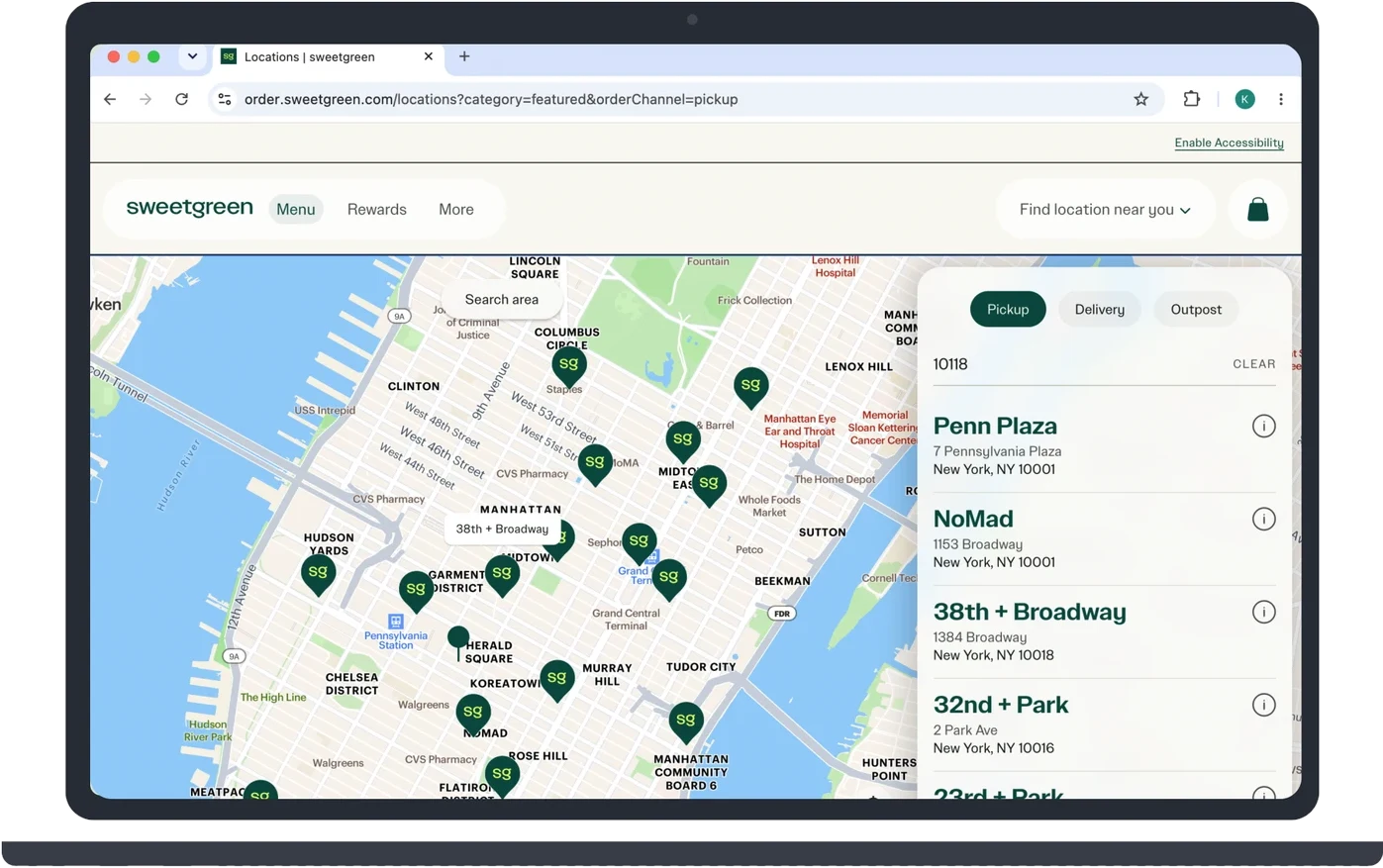
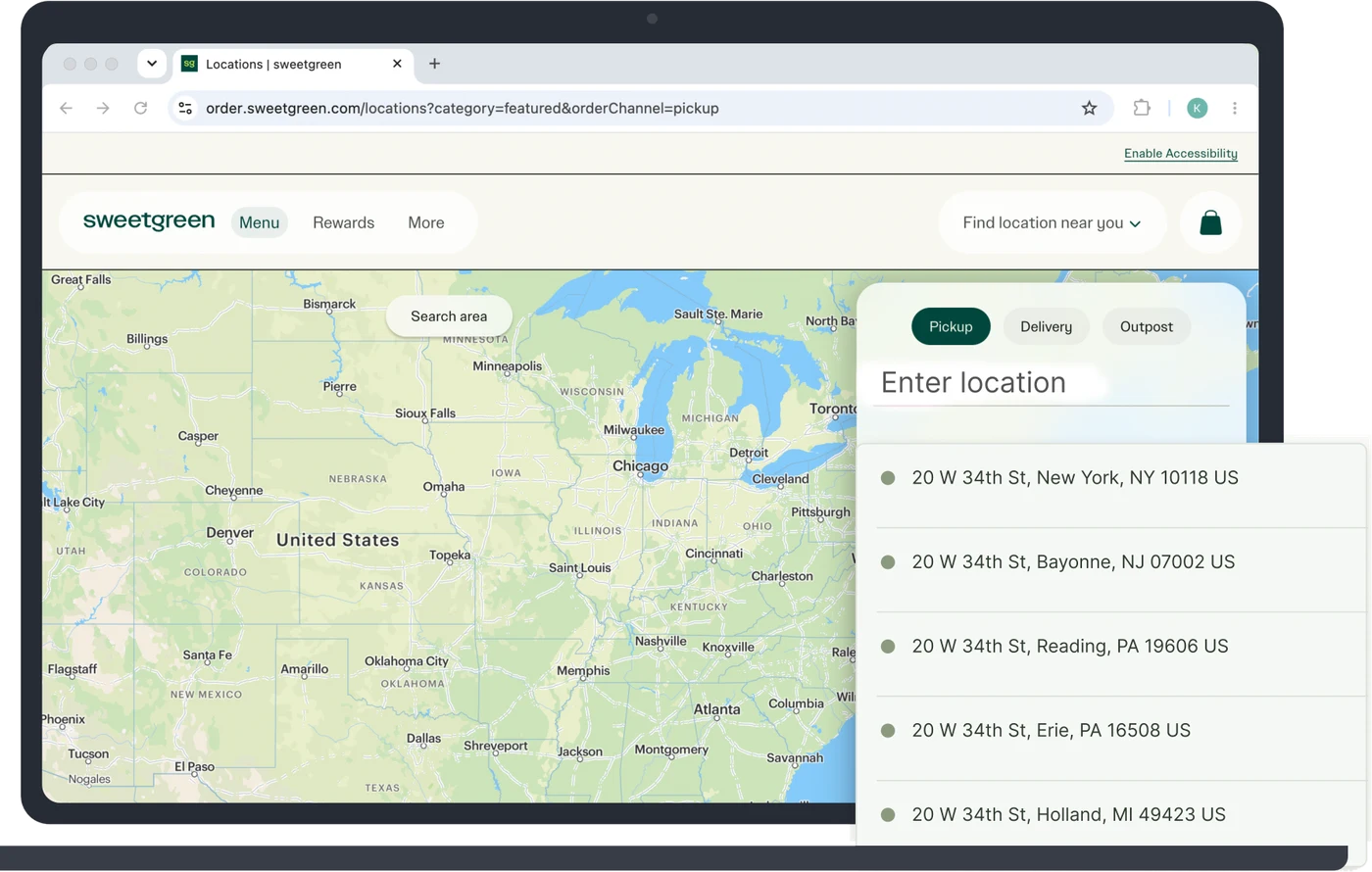
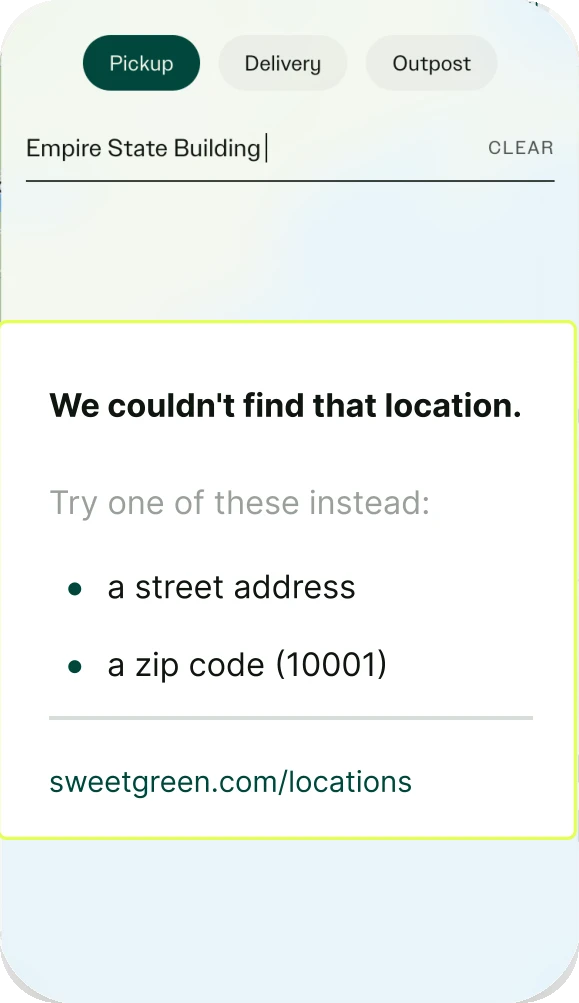
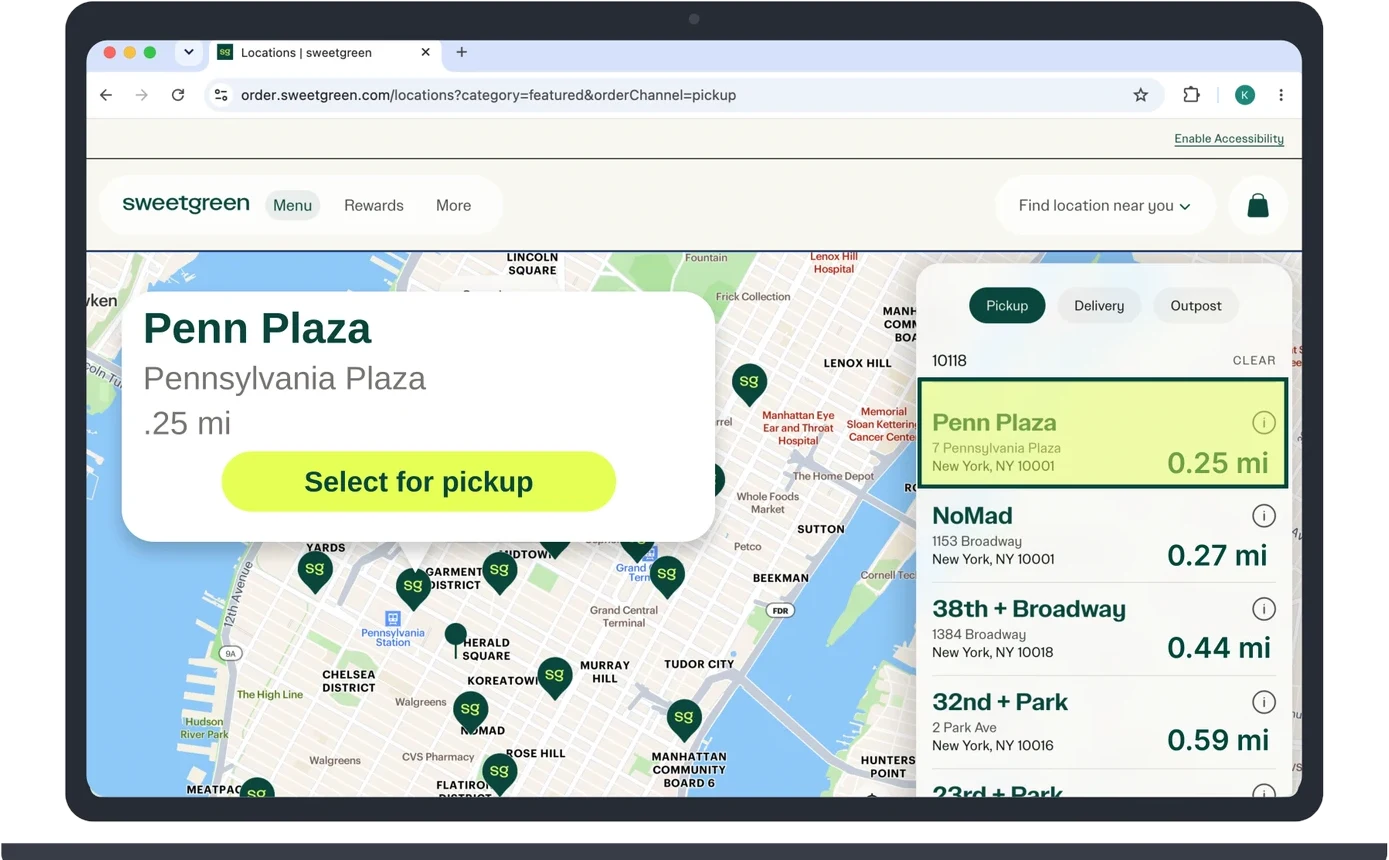
The location finder is easy to find on the website's main page, and the map helps users see how far they are from Sweetgreen locations. However, it only searches by zip code or store name. Typing a full, valid street address returns an error that doesn't suggest an alternative search to try. Once stores appear, they show no distance from the user, and the map pins can't be used to select a store.
When search fails
Give the customer a way forward.
When a location can't be matched, the message explains why and offers two paths forward: specific formats to try, or a link straight to the full location finder.
The proposed fix
Adding the ability to search by street address as well as zip code, with autocomplete so the user can confirm the full correct location, and a clear error message that suggests alternatives when a search fails. Additionally, letting users select a location directly from the map pins and organizing locations by distance. This lets users search the way they naturally think of where they are and compare stores by distance.
The process
How we got there
The three evaluators completed the tasks independently, each noting the problems they found, the heuristics violated from Nielsen's 10 usability heuristics (Nielsen, 2024), and a severity rating on Nielsen's 0 to 4 scale (Nielsen, 1994). As lead evaluator, I compiled the findings from all three evaluations into a single document and identified overlapping themes. Findings were prioritized by severity first. Where multiple evaluators independently flagged the same problem, I treated that consensus as extra evidence of a real, repeatable issue and used the highest rating reported rather than an average, to avoid under-prioritizing a potentially critical issue.
- 01Evaluate independently
- 02Compile and group themes
- 03Prioritize highest severity
Validation comes next
What I'd do next
A heuristic evaluation relies on usability experts instead of users (Moran & Gordon, 2023). Future research should include usability testing with real users, especially people with food allergies, to validate the findings. An evaluation of the mobile app would determine whether any of these recommendations could carry over.
What I learned
Reflection
Leading this evaluation taught me to separate how often a problem was reported from how seriously it could affect someone. Prioritizing by the highest severity helped me keep allergy safety in focus while balancing it with ordering speed.
References
Baymard Institute. (2025, September 22). 50 cart abandonment rate statistics 2026. https://baymard.com/lists/cart-abandonment-rate
Moran, K., & Gordon, K. (2023, June 25). How to conduct a heuristic evaluation. Nielsen Norman Group. https://www.nngroup.com/articles/how-to-conduct-a-heuristic-evaluation/
Nielsen, J. (1994, November 1). Severity ratings for usability problems. Nielsen Norman Group. https://www.nngroup.com/articles/how-to-rate-the-severity-of-usability-problems/
Nielsen, J. (2024, January 30). 10 usability heuristics for user interface design. Nielsen Norman Group. https://www.nngroup.com/articles/ten-usability-heuristics/
Sweetgreen. (n.d.). Sweetgreen. Retrieved September 24, 2026, from https://www.sweetgreen.com/